Contents
The same request on another network is a useful comparison. After it, lay the time beside the logs of the entry node and the application, and you will see which stretch to keep searching.
What does ERR_CONNECTION_CLOSED mean?
Chrome shows it as “This site can’t be reached” with the line that the site “unexpectedly closed the connection”. In Chromium’s list of network errors CONNECTION_CLOSED is -100, a connection closed “corresponding to a TCP FIN”. FIN is also how an ordinary exchange ends, so the error appears only when the close stops the browser from finishing the request it needed.
The neighbouring messages say different things:
| Code | What the message tells you | First question |
|---|---|---|
| ERR_CONNECTION_CLOSED | The connection closed | What was requested, and which node closed the exchange? |
| ERR_EMPTY_RESPONSE | The server closed the connection without sending any data | Did the request reach the server, and what ended it there? |
| ERR_CONNECTION_RESET | The connection was forcibly reset, a TCP RST | On which stretch did the reset come? |
| ERR_CONNECTION_REFUSED | The attempt to connect was turned down | Does the service accept connections on that port? |
| ERR_CONNECTION_TIMED_OUT | The attempt to connect never finished in time | Is the address and port reachable on this path? |
TCP’s standard describes the difference between FIN and RST. The browser’s page does not prove who sent either: proxies and network filters can sit on the way. So a site’s team collects data about the route instead of blaming the web server on the strength of one code.
The neighbouring codes have their own guides: ERR_CONNECTION_RESET, ERR_CONNECTION_REFUSED and ERR_CONNECTION_TIMED_OUT.

Which request does the connection close on?
Reproduce the error with the same full URL and the same action. The homepage can open fine while the connection closes on a report export, an API call or a file upload.
- Write down the address, the time with its time zone and the action just before the error. If a button sends a request to another subdomain, you need that request’s address.
- Repeat the action on the original network in another browser or a clean profile, then try the same address over mobile data with Wi-Fi off. Change one condition at a time.
- In Chrome, open the Network tab and repeat the action. Keep the failed request and the ones around it, and tick Preserve log if the page moves to another URL. Chrome DevTools shows the sequence of requests and network errors.
- If a download broke off after it started, note the moment and how much of the file reached the browser. For the analysis on the server that is worth more than “the site is broken” without an address.
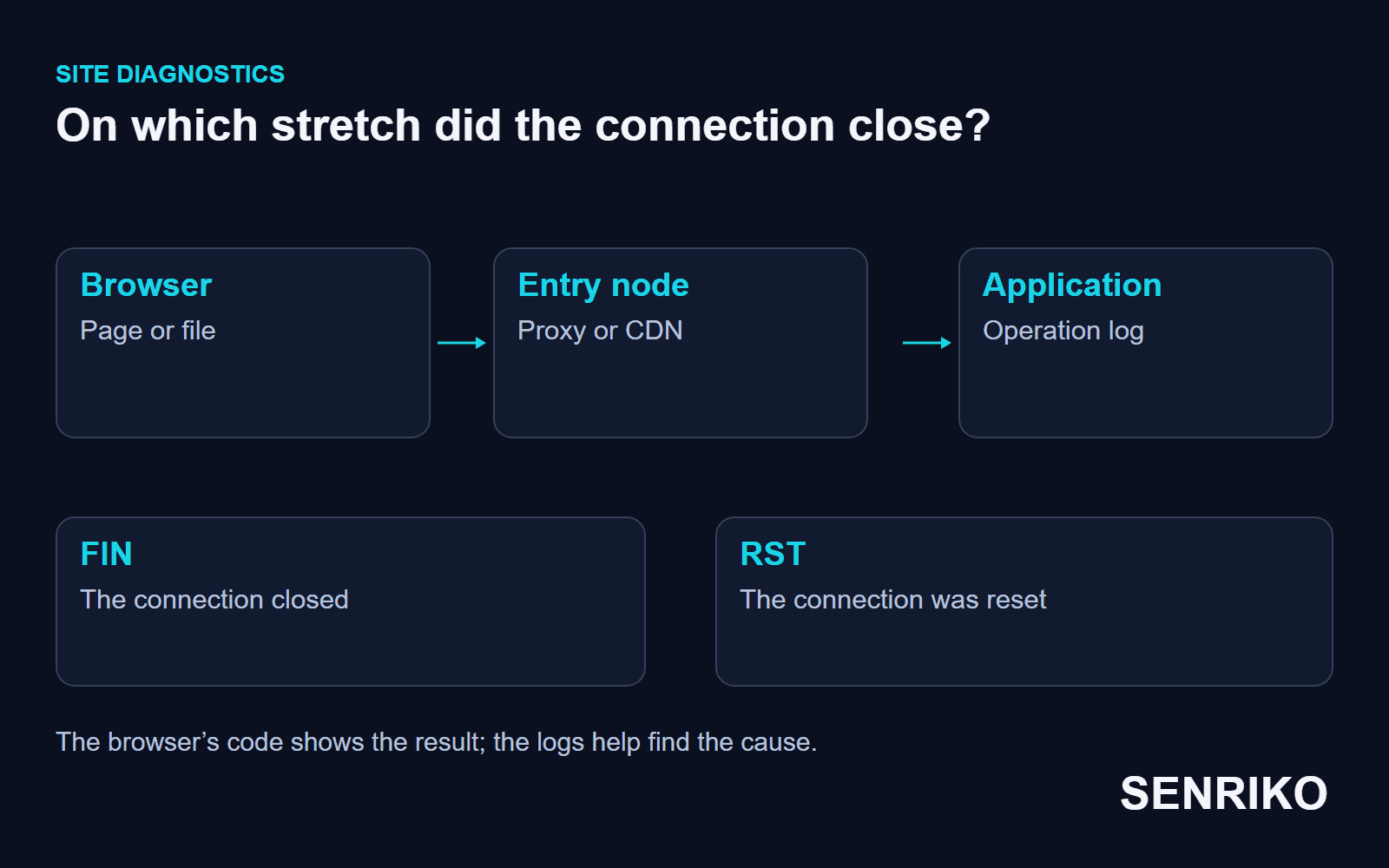
A working result on another network points the check at the original route, the device or the access rules for that client. It does not prove the server is fine for everyone. If the close repeats for several users on one action, compare the time with how the server handles that action.
What should you check on the server and the nodes in between?
Match the request with the logs of the node that accepts the connection first, then move inwards to the application. Behind a CDN or a load balancer there are several separate connections between the browser and the application.
Look for the incoming URL and the time first. If the request is missing from the application’s log, look for it on the node before. If it is there and the work started, look at how the operation ended and at the state of the processes. A log line with only an HTTP status does not explain why the browser saw the connection close: the answer may not have arrived whole.
Compare the start and the end of one operation. For a download you need the marks for when the file was ready and when the answer was sent; for an ordinary page, whether the server began the work at all. If the close happened before the HTTP request, the application’s log may be silent, and the search moves to the entry node or a packet capture.
For failures that come and go, lay the moment of the close beside restarts, memory limits and changes to the protection rules. The same browser code on a large download and on the first connection to the homepage needs a different way into the logs. The cause is confirmed by records that match, not by assuming that every close means overload, which matters most for files and long answers where the transfer can start and break later.
If the web server’s log is clean, look at the protection logs. In our team’s practice a technical SEO audit through Labrika kept stopping at 10 to 15%: the Nginx log was clean, while iptables and Fail2Ban took the active crawl for an HTTP flood and dropped the crawler’s IP at the firewall. The crawlers’ addresses were added to the server’s allow list; the search through the system logs took an hour and a half, the fix five minutes.
Dropped packets usually look to the client like a wait that ran out, so check such an episode against our guide to ERR_CONNECTION_TIMED_OUT as well.
Case: a CSV export broke off when memory ran out
The team did not record which code the browser showed, but the case shows when to examine the operation on the server.
CaseAnonymous caseA CSV report export on PHP-FPM
A CSV export broke off when memory ran out
- What we saw
- Users could not download a heavy CSV report: the transfer kept breaking off.
- What we found
- The team checked
dmesgon the Linux server and saw the OOM Killer forcibly ending a PHP-FPM worker. The script loaded the whole result set from the database into memory. - What we did
- The export was rewritten to stream the file through PHP generators. Profiling the code and the change took two hours.
- 2 hoursto profile and switch to streaming
The system log worked here because one particular action with a lot of data reproduced the problem. It tied the break to memory running out while the file was built. PHP’s manual describes generators as a way to iterate over a set of data without building an array in memory, which is what the fix relied on. In a similar episode, check how the process ended and how the export works before changing browser settings at random.
How do you confirm the fix and notice a repeat?
Repeat the same action with the same amount of data that failed. If the export was fixed, wait for the finished CSV and check that the whole file downloaded. If a network rule changed, reproduce the request from the network that failed as well.
Record the result over time: the same address, the same kind of request, a successful finish. For a failure that comes and goes, one lucky attempt is not enough; check under the conditions where it used to happen. The cause the log named should stop appearing too.
For public pages, use SENRIKO’s availability monitoring. It runs on every plan and checks the page from its own vantage point; a page that cannot be opened is reported, and a second location outside our data centre tries it before the alert goes out. A special CSV export or access from an internal network needs its own repeatable test. The plans set how many pages are watched; add the public address where visitors begin the action that matters.
Frequently asked questions about ERR_CONNECTION_CLOSED
What does ERR_CONNECTION_CLOSED mean?
What is the difference between CLOSED and RESET?
Why does it happen only on big downloads?
Is the problem on my side or the site’s?
The web server log is clean. Where else should I look?
How is ERR_EMPTY_RESPONSE different?
Sources
- net_error_list.h: Chromium’s network error codesChromium
- RFC 9293: Transmission Control ProtocolIETF
- Network features referenceChrome DevTools
- Generators overviewPHP manual
- Pricing and levels of checksSENRIKO