Monitor your first website free, no card needed. Explore SENRIKO

Chrome extension · Free · No signup

Test form submissions and conversion tracking in your browser

Check if your website forms and conversion tracking fire when people act. Detect forms, inspect GA4 and Google Ads signals, and follow a manual test step by step.

Coming soon to the Chrome Web Store

Works in Chrome 116 or later; also tested in Microsoft Edge.

Nothing leaves your browser: no account, no server, no tracking of you. It never fills in or sends a form for you.
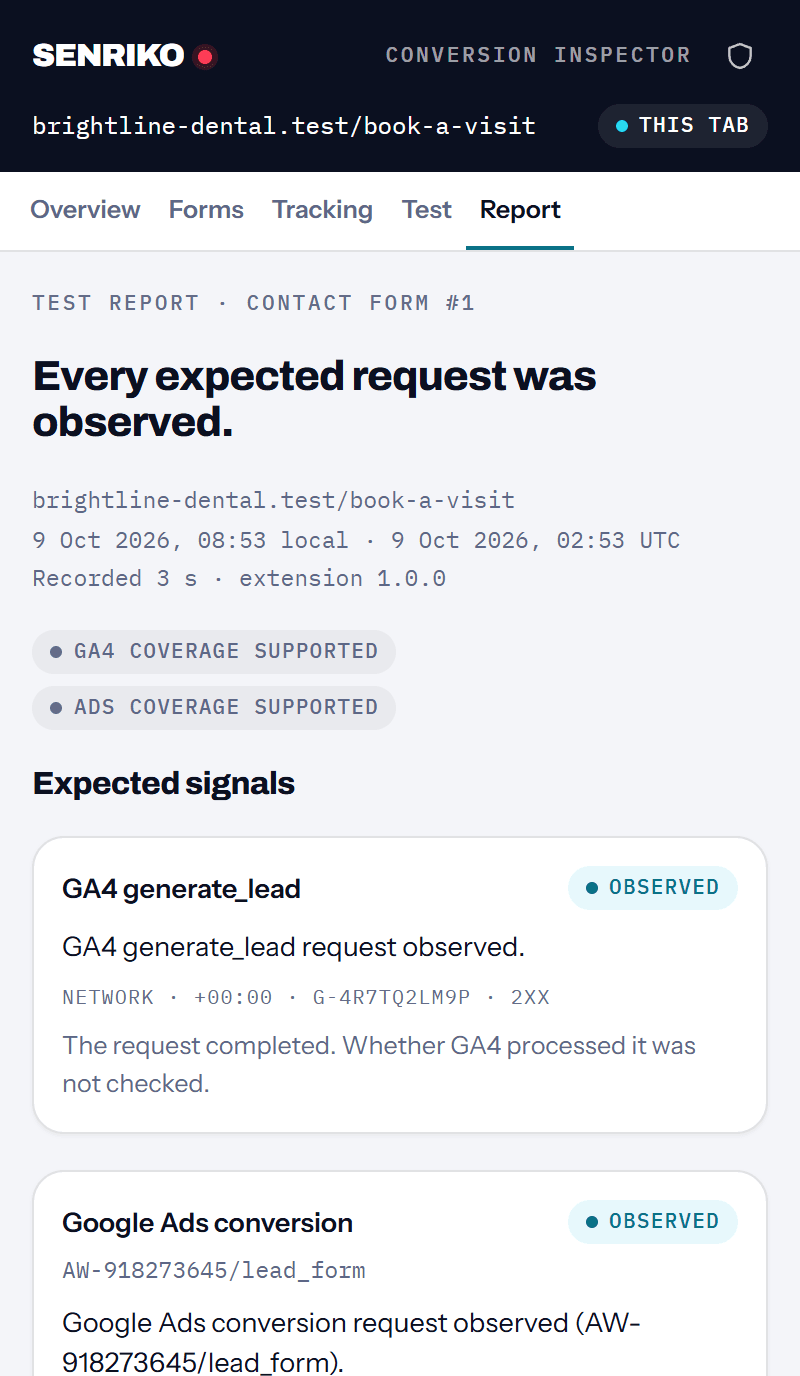
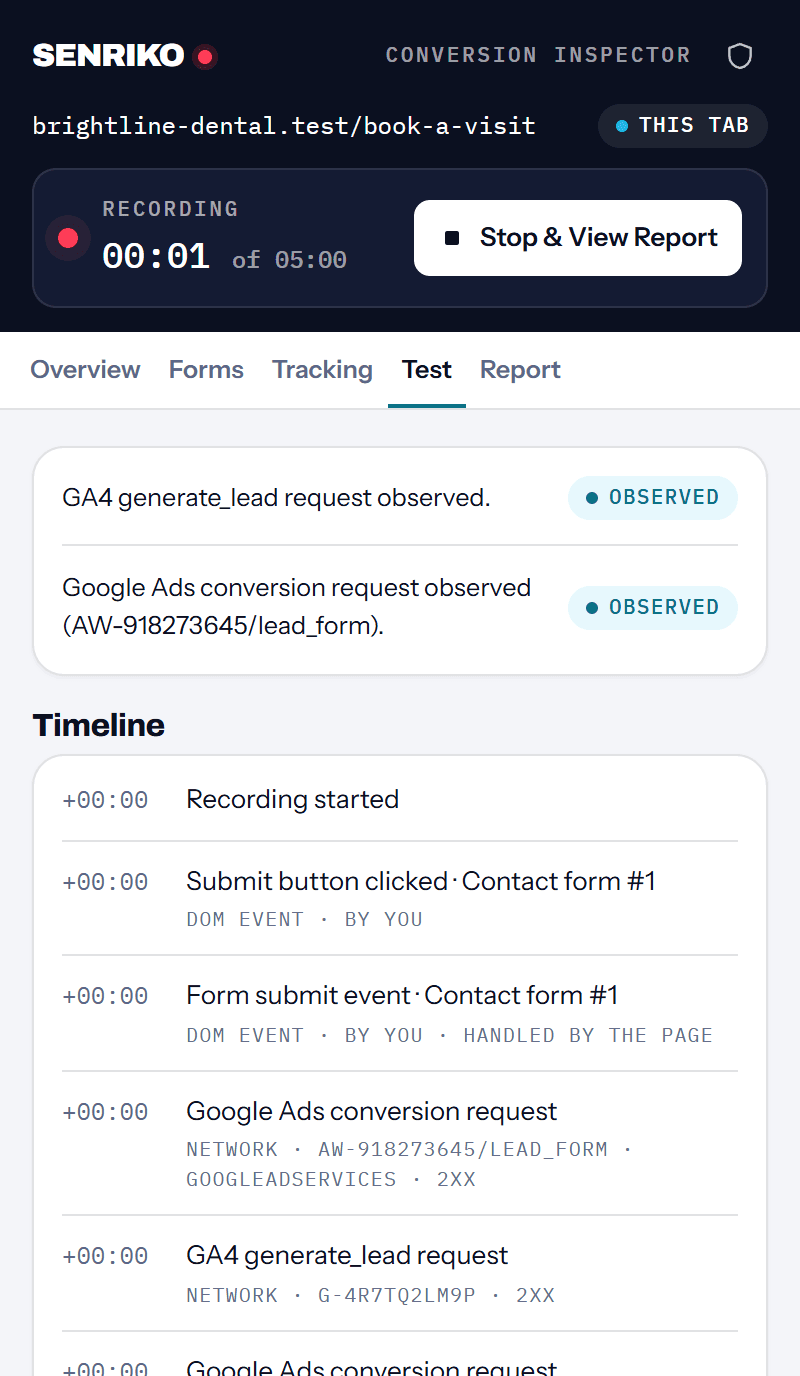
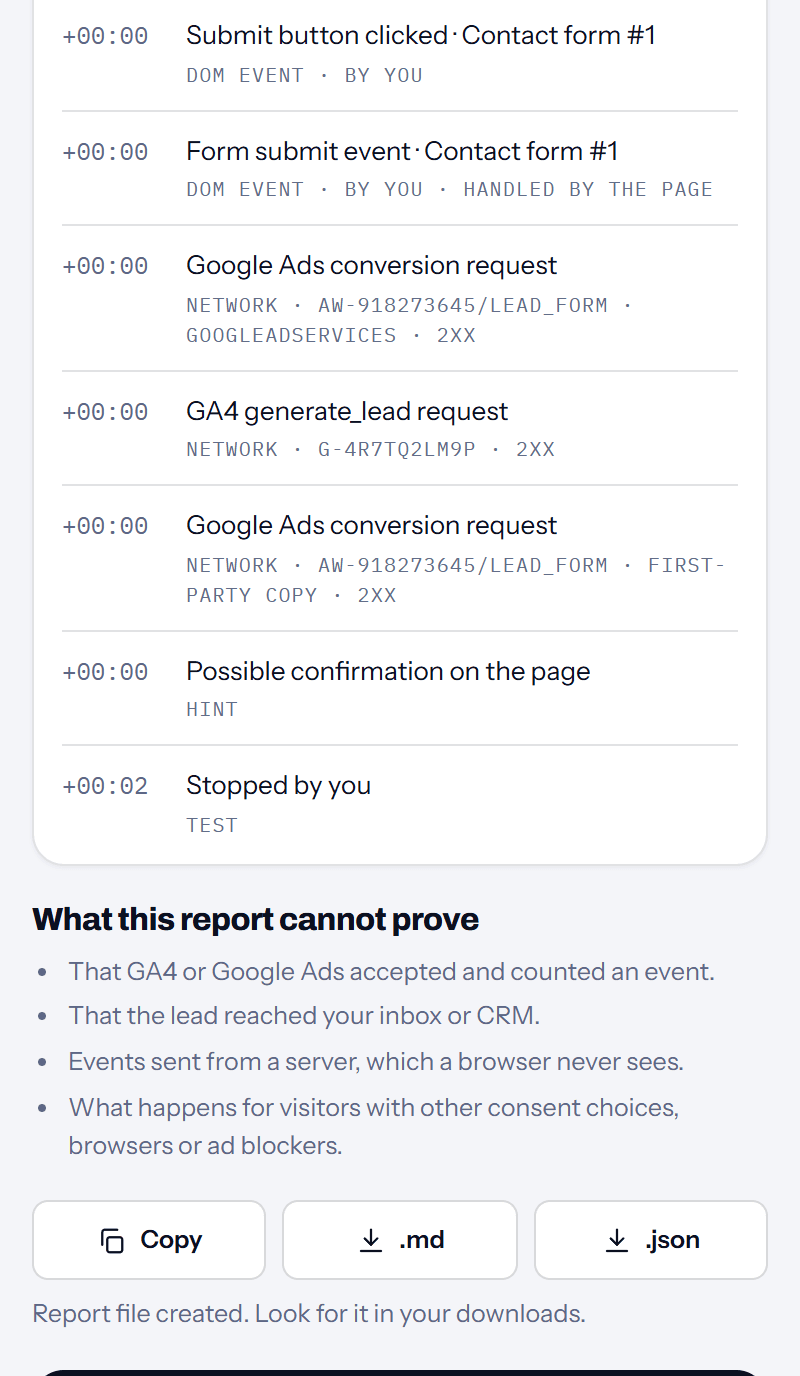
The extension’s report after a test on a sample clinic’s booking form: every expected request was observed, GA4 generate_lead and a Google Ads conversion, each with its evidence.
How it works

Three steps, about two minutes

  1. Step 1

    Open the panel on your site.

    Click the SENRIKO icon in the toolbar. The panel finds the forms on the page and the tags: GTM, GA4, Google Ads, the Google tag and the Meta Pixel.

  2. Step 2

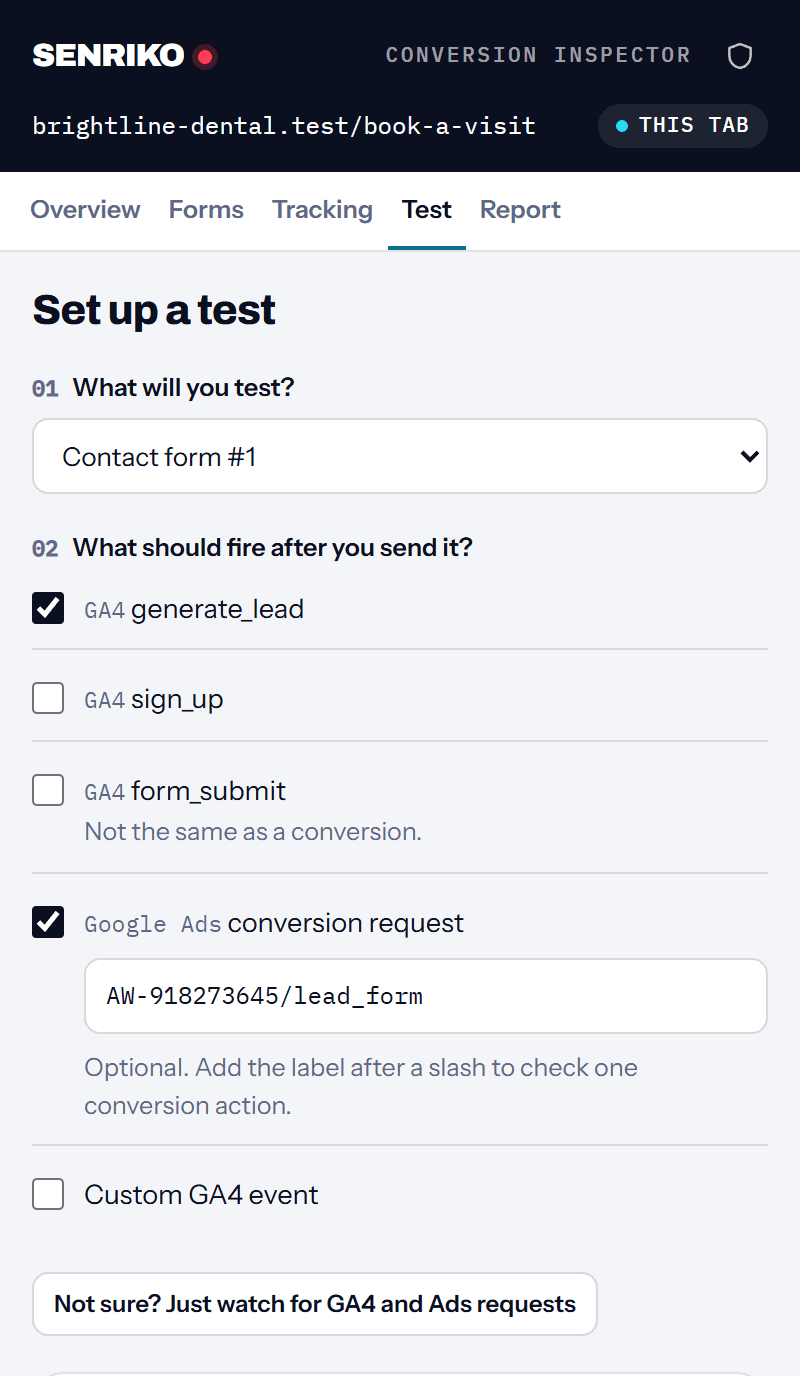
    Say what should fire, then send the form yourself.

    Pick a GA4 event such as generate_lead, a Google Ads conversion, or just watch. Start the test and send a test lead the usual way.

  3. Step 3

    Read the report.

    Each expected signal gets a status with the evidence behind it. Copy a summary, or download the report as Markdown or JSON.

The real panel

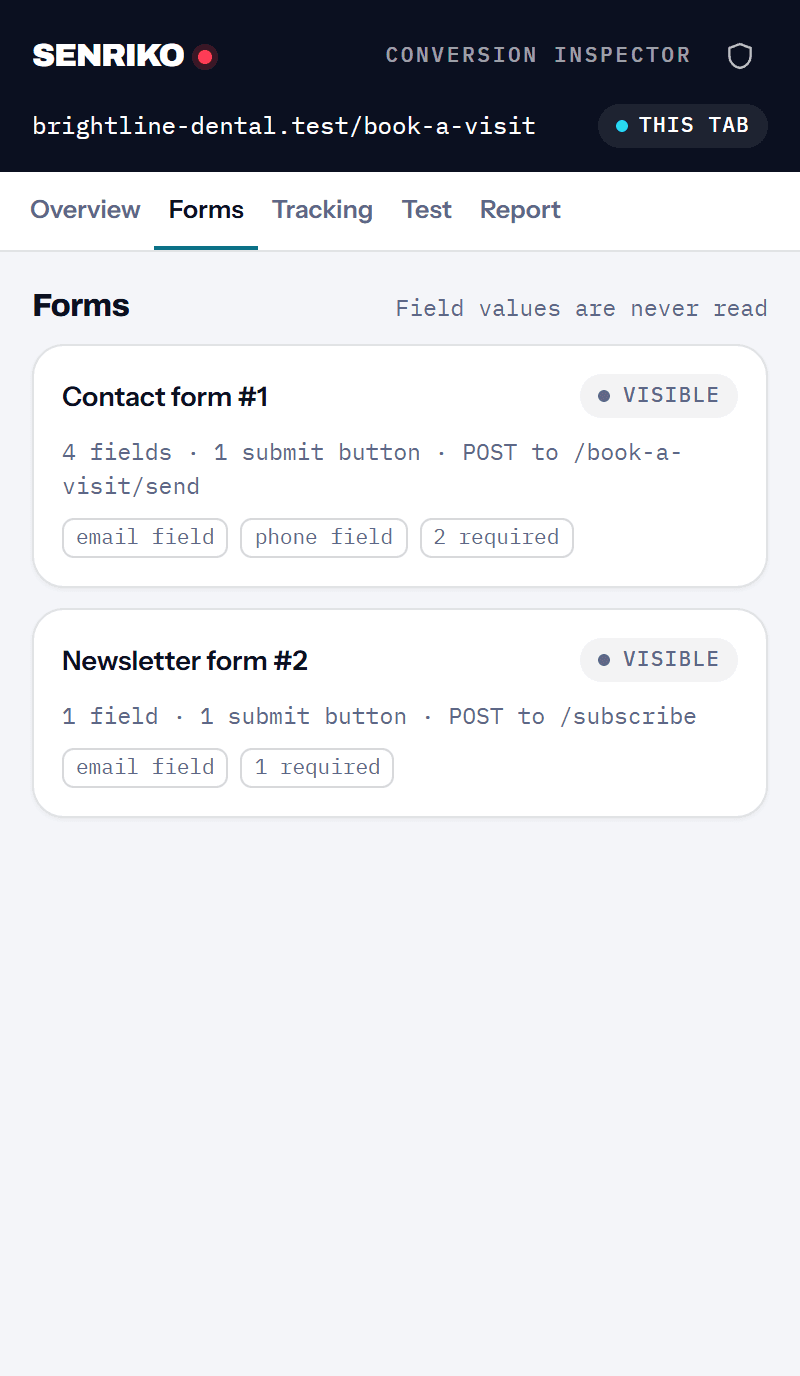
Screenshots of the real panel

Taken from the panel on a test page, with synthetic requests. No invented results.
Coverage

What it checks

  • Forms

    Ordinary forms, likely custom forms, forms in shadow DOM and in frames of the same site. A form in another site’s frame is named, not read.

  • GA4 events

    The event names in each GA4 request your browser sends, including events sent in one batch.

  • Google Ads conversions

    Conversion requests by conversion ID and label, with possible duplicates flagged.

  • Your send

    The submit click, the form’s submit event, and the browser’s own validation stopping a send.

  • Tags on the page

    GTM, GA4, Google Ads, the Google tag and the Meta Pixel, found on the page. A tag on the page is a setup sign, not a conversion. Meta events are not tested in this version.

Reading the answer

Every answer says how sure it is

Observed
Your browser sent the expected request after your send. The request completed; whether GA4 or Google Ads processed it is not checked.
Not observed
The extension could see these requests, and the expected one did not come within the time window.
Unable to verify
Something hid the answer: permissions, consent, a blocker, server-side tagging or a test stopped too early.
Not checked
No form was sent during the test, so there was nothing to check.
Possible duplicate
The same conversion went more than once for one send.
Limits

What a browser test cannot prove

  • 01

    That GA4 or Google Ads accepted and counted an event.

  • 02

    That the lead reached your inbox or CRM.

  • 03

    Events sent from a server, which a browser never sees.

  • 04

    What happens for visitors with other consent choices, browsers or ad blockers.

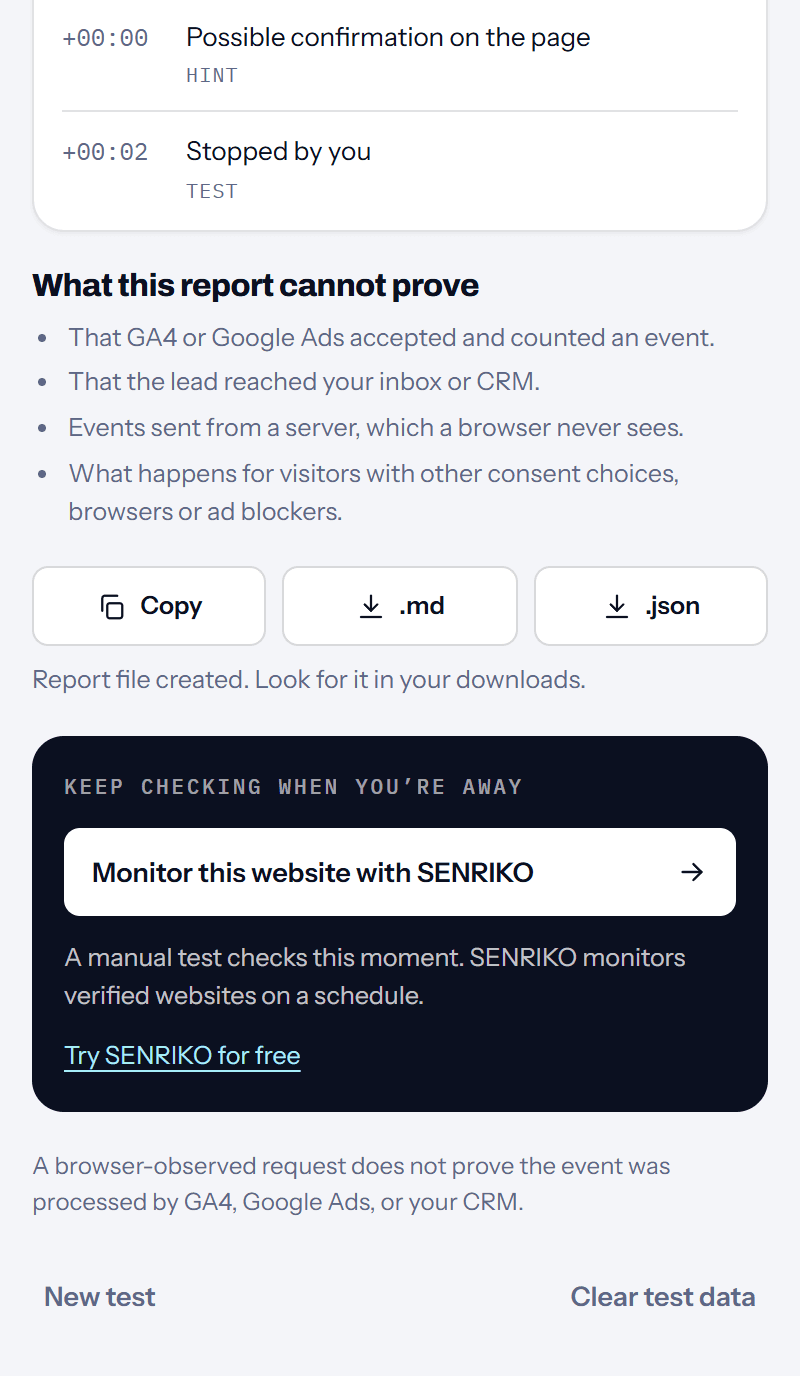
A browser-observed request does not prove the event was processed by GA4, Google Ads, or your CRM.

Privacy

Your test stays in your browser

The extension never reads what is typed into a form, and keeps no page text, cookies or click IDs. A site’s address is kept without its query, and anything in it that looks like an email or a token is masked. Results live in the browser’s session storage for up to 60 minutes and go when you close the browser or press Clear test data.

It reads a page only after you click its icon on that tab. Seeing GA4 and Google Ads requests needs one extra permission you can turn on and off; without it, the test records your form actions only. GA4 request bodies are read on your device for event names and then dropped.

Compared

Extension, free tools, monitoring

Each runs somewhere else and answers a different question. See the free tools.

Conversion Inspector

Who checks
You, in your own browser
What it sees
Your real send and what your browser sent
Account
None
History
None; save the report if you need it
Best for
Testing one form right now

Free tools on senriko.com

Who checks
SENRIKO’s browser, from an address you give
What it sees
The page as a first-time visitor gets it
Account
None
History
A result link
Best for
A quick look at a page’s tags or redirects

SENRIKO monitoring

Who checks
SENRIKO, on a schedule
What it sees
Your verified websites, check after check
Account
An account and a verified website
History
History and email alerts
Best for
Knowing when tracking or a form stops working
Questions

Questions about the extension

Is it free?
Yes. No account, no trial, nothing to pay.
Does it send my form?
No. You send it yourself, only where you are allowed to test. The extension watches and never clicks, fills in or sends anything.
Does it read what I type?
No. It sees that a form was sent, never what was in it.
Why does it ask for google.com?
Google Ads sends one copy of a conversion to www.google.com, so the extension asks for that address too. It uses the permission only on the tab you test, only while a test runs, and you can turn it off at any time.
Why “Unable to verify” and not “broken”?
Consent banners, ad blockers and server-side tagging can send events where a browser cannot see them. When the extension cannot see, it says so instead of guessing.
Does it work in Microsoft Edge?
It is tested in Edge as well as in Chrome. Edge installs extensions from the Chrome Web Store too.
Can I share a report?
Yes: copy a summary or download Markdown or JSON. Reports hold no field values; the site’s address is cleaned first.
How is this different from SENRIKO monitoring?
The extension checks this moment, in your browser. SENRIKO checks verified websites on a schedule and tells you when something stops working.
Monitoring

Keep checking when you’re away

A manual test checks this moment. SENRIKO monitors verified websites on a schedule.

Monitor this website with SENRIKOTry SENRIKO for free

Version 1.0 · Chrome 116 or laterQuestions or a problem? Write to help@senriko.com.

The report’s last band offers monitoring the website with SENRIKO, which checks verified websites on a schedule.