Contents
- What does DNS_PROBE_FINISHED_NXDOMAIN mean?
- DNS error: how do you tell how wide the failure is?
- Check the domain’s registration and delegation
- How do you find a DNS zone fault after a migration?
- What can a visitor to the site try?
- How do you confirm the site has recovered?
- Frequently asked questions about NXDOMAIN
Our team met both scenarios: a corporate site stopped opening after its domain was not renewed, and after a DNS migration the homepage kept working while the API was broken. So we start from the exact address and the scale of the failure, then check the registration and the records that matter.
What does DNS_PROBE_FINISHED_NXDOMAIN mean?
NXDOMAIN is what DNS answers when the requested name does not exist. DNS lets a browser get a server’s address from a site’s name, and if name resolution ends with this error the browser cannot go on to the ordinary page request. Cloudflare’s page on the error names both network or local DNS issues and problems with the domain’s own records.
First the browser gets a DNS answer, then it opens a connection and requests the page. NXDOMAIN breaks that sequence at name resolution. A 404 belongs to an HTTP response that has already arrived, and a certificate is checked when the secure connection is set up. Chrome and Edge print the code; other browsers word the same kind of failure differently, for example Firefox’s “Hmm. We’re having trouble finding that site.” and Safari’s “Safari can’t find the server.”
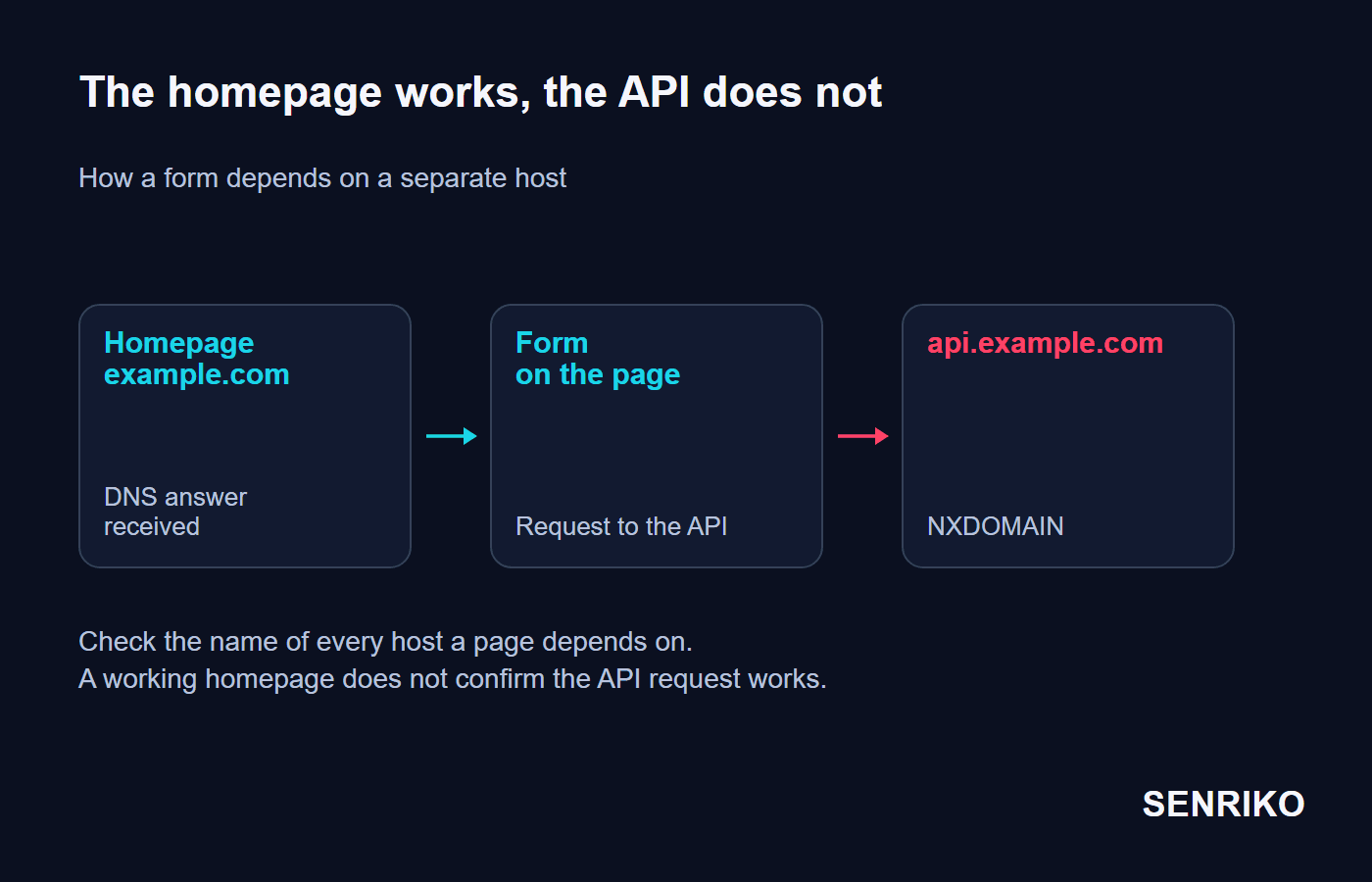
The message alone is not enough to name the cause. A domain can be registered and still have a delegation problem, and a resolver (the DNS server that answers your device) can keep an earlier negative answer. Check the whole name: in DNS, example.com, www.example.com and api.example.com are different addresses.
DNS error: how do you tell how wide the failure is?
Compare the same address on another device and through another network. That helps you choose the next check before you change settings on a computer or a server.
Check the spelling
Include
wwwand the name of the subdomain. A copied link can carry a typo too.Open the address on a phone over mobile data
A second computer on the same Wi-Fi usually uses the same network and gives you less new information.
See whether other sites open
If several unrelated domains fail on one network, check that network’s DNS settings.
If the homepage works, repeat the action that fails
Send the form, sign in or load the data. In developer tools open the Network tab and find the name of the failed request.
| What you see | What to check next |
|---|---|
| The address opens over mobile data but not over Wi-Fi | The resolver, its cache and the settings of the failing network |
| One name is not found in several independent networks | The domain’s registration, its delegation and its DNS zone |
The homepage opens, but a request to api.example.com fails | The records of the API subdomain itself, and the address the application uses |
| Many sites are unreachable in one network | The settings of the device, the router or the provider’s DNS |
After a migration two networks can hold different DNS answers, which is why the comparison helps. Give the administrator the exact address, the time of the error and the result from each network.
Check the domain’s registration and delegation
For a domain you own, start at the registrar’s account: check the expiry date, the status and the assigned name servers (NS), which say where the DNS zone is served. With clientHold the domain is not published in DNS. ICANN explains that the status is taken up with the registrar, and restarting the web application will not change it.
CaseAnonymous caseCorporate site
A domain stopped resolving after it was not renewed
- What we saw
- A corporate site from our team’s practice stopped opening on a Monday. UptimeRobot sent unavailability alerts, browsers showed NXDOMAIN and
nslookupfound no IP address. - What we found
- The registration check showed
clientHold: the domain had expired on the Sunday. The renewal failed because the corporate card had expired, and the warnings went to a former marketer. - What was done
- The team attached a new card, paid for the renewal and replaced the contact email with a shared company address. The payment took five minutes, yet at different providers access came back after 2 to 8 hours. The site worked fully by the evening.
- 5 minutesfor the payment and the new card
- 2 to 8 hoursfor access to return at different providers
- about halfof the usual traffic and leads lost that day
Afterwards, tie the notifications to a shared mailbox that is really read, and check the payment details behind auto-renewal.

How do you find a DNS zone fault after a migration?
When you change DNS provider, compare the whole zone and every name the interface depends on. The main domain, www and the API can have separate records, and a check of the homepage covers only part of that configuration.
CaseAnonymous caseDNS zone moved to Cloudflare
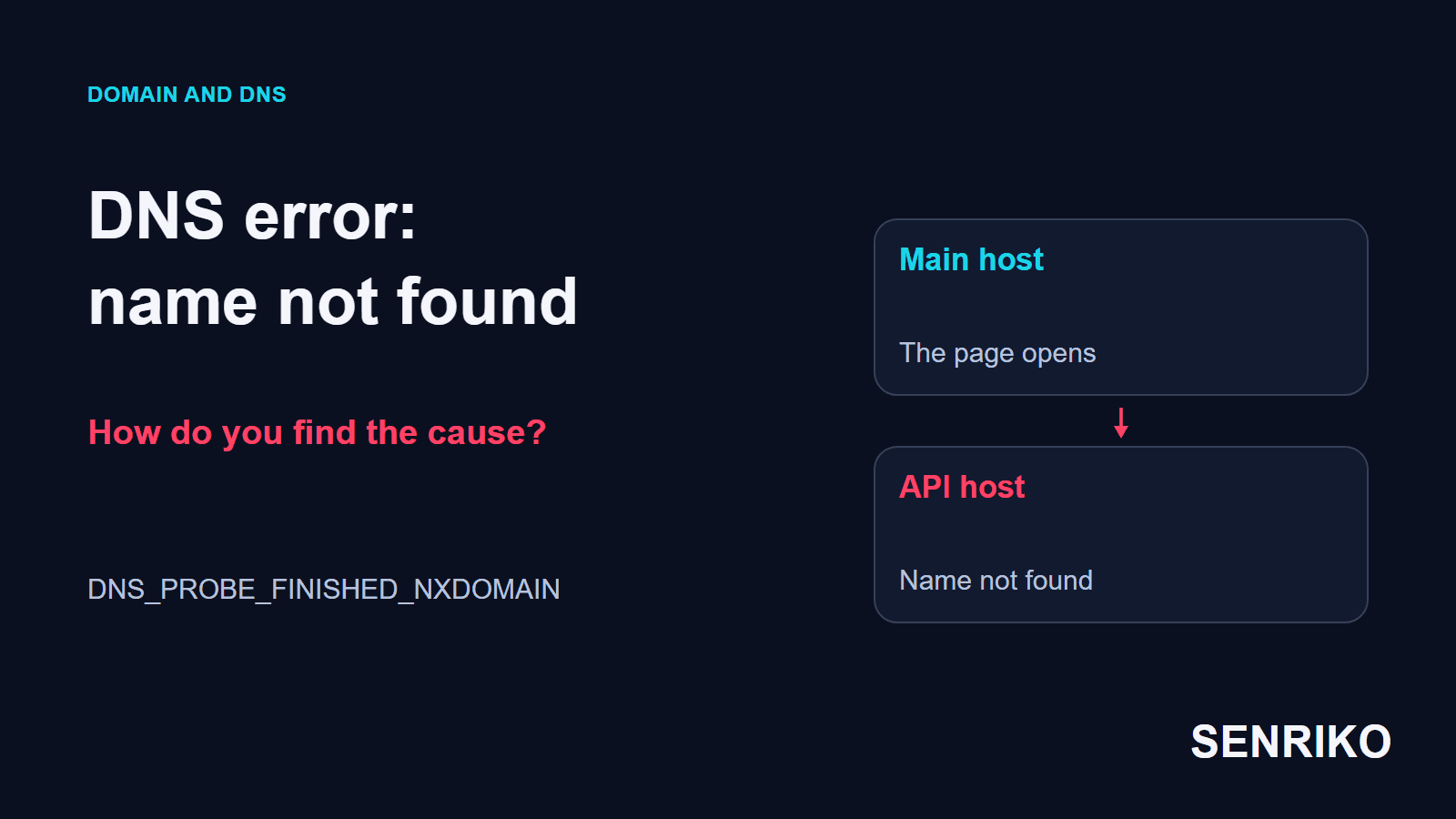
The homepage opens, but the API host is not found
- What we saw
- In one project the management of the zone was moved to Cloudflare. The main site opened, but for some visitors parts of the interface stopped working.
- What we found
- A check with DNS Checker showed different states after the NS update. Failed AJAX requests to
api.domain.comturned up: the A record of that subdomain was missing from the new zone. Finding the missing record took about 40 minutes. - What was done
- The team imported the zone from the old provider’s BIND file and added the
apiA record. In the requests we checked, things worked again within 3 to 5 minutes.
- about 40 minutesto find the missing A record
- 3 to 5 minutesto recover after the record was added
To check one name, nslookup will do. On the command line you can ask for the main domain, a subdomain and the NS records:
nslookup example.com
nslookup api.example.com
nslookup -type=NS example.com
Put in your own addresses. Microsoft’s documentation describes asking for a name and choosing the DNS server. For example, the command below asks a public resolver you name:
nslookup api.example.com 1.1.1.1On macOS and Linux dig is the usual tool. +short prints only the answer, and the header of the full output carries the status, NXDOMAIN among them:
dig +short api.example.com
dig +short NS example.com
dig api.example.com @1.1.1.1
Compare the result with the answer from your current resolver. If the browser uses its own secure DNS, its path to resolving a name can differ from the system’s: an nslookup result applies only to the server you asked.
What to do next depends on the answer:
| Answer | What it means |
|---|---|
| NXDOMAIN | The requested name is considered not to exist |
| NOERROR with no record of the type asked for, NODATA | The name exists, but the record you asked for does not |
| SERVFAIL | The resolver could not get or process a correct answer |
| The expected address or a CNAME chain arrives | Name resolution worked; next check the connection and the page |
An empty answer to an A-record query does not always mean NXDOMAIN. An existing name can have a record of another type, for example. Compare the answer with the A, AAAA or CNAME records the configuration really provides for. The NS records at the registrar must match the provider that serves the zone, and the zone must contain the names you need.
After the zone changes, some resolvers can keep the earlier result. Positive answers are cached for their TTL, and negative ones have a lifetime of their own. Cloudflare’s page on general DNS issues covers a record that exists while a resolver still returns the old answer: the negative cache lasts for the MINIMUM field of the zone’s SOA record, lowering the new record’s TTL does not shorten it, and flushing your own cache affects only your device. dig +noall +answer +authority on the name shows whether a negative entry remains, and the SOA record in the authority section carries the seconds left.
Cloudflare’s proxy does not clear that cache at every provider, so the recovery time from our case cannot be carried over to any network. For a migration, list the dependencies in advance: the main address, www, the API, static files and every other host really in use. After the move, check each of them and the visitor action that reaches it.
What can a visitor to the site try?
A visitor can check the address and the local path of name resolution. If the domain is unreachable in different networks, tell the owner the exact URL and the time of the error: changing one computer’s settings will not restore someone else’s DNS zone.
If the site opens through another network, start with restarting the browser and checking again. On Windows you can clear the system’s DNS cache:
ipconfig /flushdnsThe command flushes the resolver cache; Microsoft’s reference for ipconfig says that during DNS troubleshooting it discards negative cache entries along with the others. On macOS the usual command is sudo dscacheutil -flushcache; sudo killall -HUP mDNSResponder, and on Linux with systemd-resolved it is resolvectl flush-caches. If the earlier answer is still held by a resolver upstream, the next request can get it again. After clearing, repeat the check and compare the results.
Change the DNS server to test a specific hypothesis. On a corporate network ask the administrator first: internal services can depend on the corporate DNS. A mass network reset or deleting hosts entries will make diagnosis harder if you have not yet found the source of the error.
How do you confirm the site has recovered?
Confirm three results: the name resolves, the page loads and the action that matters works. A returned IP address closes only the DNS check.
Check the main domain and the subdomains it depends on
Use several networks or resolvers that you can reach.
Open an important page and look at its actual response
Once DNS is fixed, separate HTTP or TLS problems can show up.
Repeat the scenario that broke
An API request, sending a form or checking out. Check the expected result in the system concerned.
Keep the time of recovery and carry on watching
Watch until the results in the problem networks are stable.
The time to recover depends on the earlier DNS answers, how long they are kept and the part that was fixed. In our cases the unrenewed domain meant a wait of several hours, while fixing the API gave the first successful requests within minutes. Rely on repeated checks from the problem networks.
To notice a repeat, add the site to SENRIKO. It checks the domain and its DNS records every day, and checks of the forms you choose can catch a failed action while the homepage still works. Pick how often to check by plan, and add the important pages together with the form your enquiries come through, so that the results describe the stretches you need to watch.
Frequently asked questions about NXDOMAIN
Is DNS_PROBE_FINISHED_NXDOMAIN my fault or the website’s?
Does flushing the DNS cache fix NXDOMAIN?
How long does a DNS fix take to show?
The homepage opens. Can DNS still be the problem?
Sources
- DNS_PROBE_FINISHED_NXDOMAINCloudflare DNS docs
- General DNS issuesCloudflare DNS docs
- EPP Status Codes: What Do They Mean, and Why Should I Know?ICANN
- nslookupMicrosoft Learn
- ipconfigMicrosoft Learn