Contents
- What is an SSL certificate, and why does a website need one?
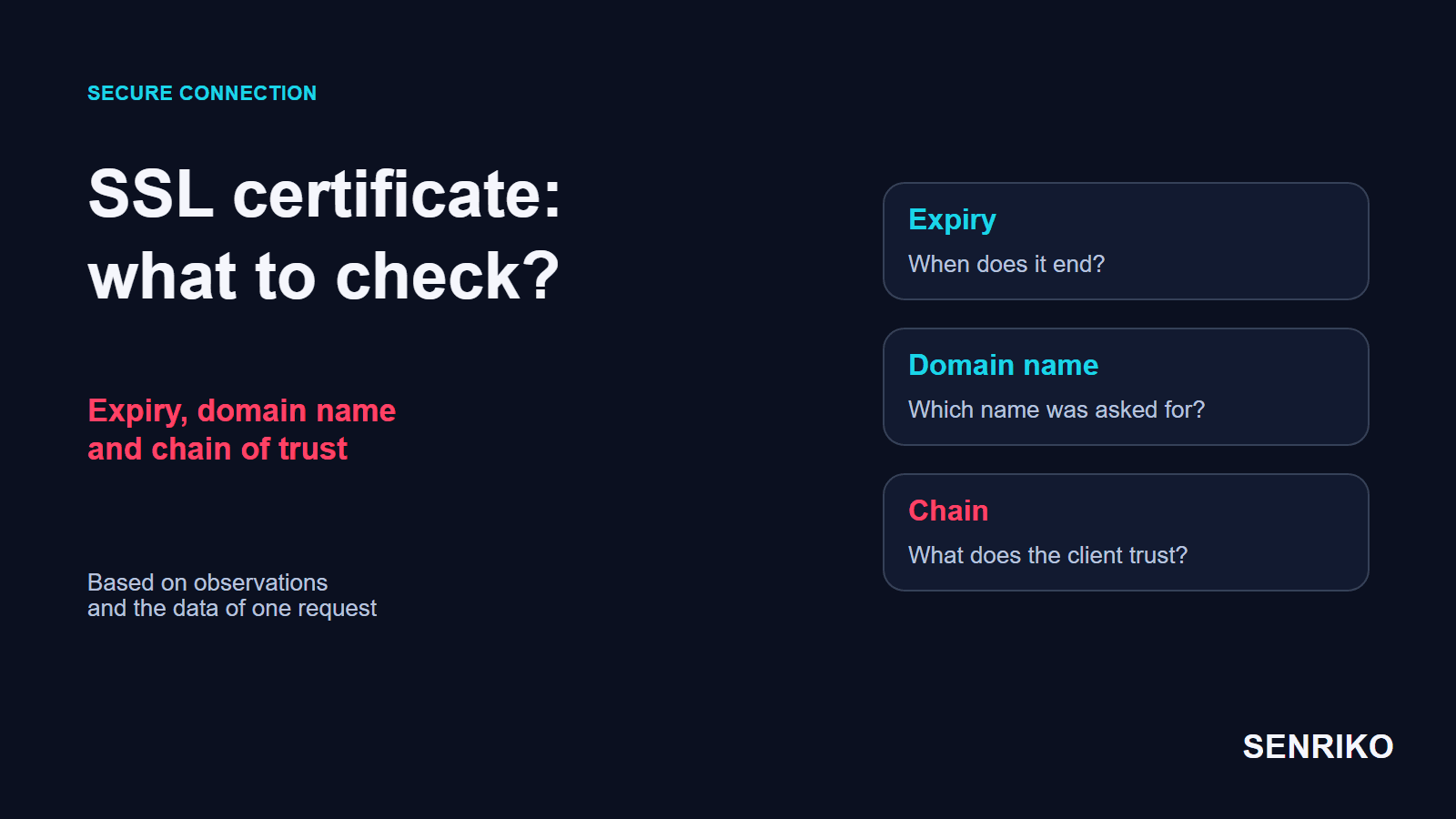
- How do you check an SSL certificate: expiry, domain name and chain of trust?
- SSL certificate errors: which check matches which symptom?
- Case: the site opened on a desktop, but some clients lost the connection
- Case: auto-renewal failed after port 80 was closed
- What should you check after issuing or renewing a certificate?
- Frequently asked questions about SSL certificates
We start from the public address: compare the expiry, the domain names and the chain of trust, then test that renewal works. In one project an intermediate certificate was missing after a manual install. In another, a change to network rules stopped a new certificate being issued.
What is an SSL certificate, and why does a website need one?
A certificate lets a client check the server’s name and set up a protected connection. A certificate authority signs it; the client checks the signature, the validity dates and whether the name matches the address it is connecting to.
The name “SSL certificate” survives in interfaces and everyday speech, although today’s HTTPS connections run on TLS, the successor to SSL. TLS protects data in transit between client and server: it encrypts the data, lets each side detect tampering and lets each prove who it is. That matters for sign-in, for sending contact details and for every other action on the site.
Domain validation and organisation validation are different levels of assurance. A domain-validated (DV) certificate shows control of the name; OV and EV certificates add checks on the organisation, and the encryption is the same at every level. Separately, you choose the coverage: one domain, several names in the SAN list, or all suitable subdomains with a wildcard. The level of vetting and the list of protected names solve different problems.
A trusted certificate does not vouch for the seller’s honesty, for the absence of vulnerabilities or for a lead reaching your team. A browser can set up a protected connection while the form handler behind it returns an error. So check HTTPS as a stage of the site’s work in its own right.
Certificates are getting shorter-lived
Under CA/Browser Forum ballot SC-081v3, the maximum validity of publicly trusted certificates falls from 398 days to 47 days in steps between March 2026 and March 2029. Let’s Encrypt already issues 90-day certificates and argues that once issuing is automated, shorter lifetimes are no less convenient than longer ones. A renewal nobody watches fails more often as the interval shrinks, so you need both: automatic issuing and a check from outside.

How do you check an SSL certificate: expiry, domain name and chain of trust?
Check the certificate on the address your visitors actually use. The file in a hosting panel and the certificate a public server really presents can differ. Start from the outside connection, then move to the configuration.
Open the exact HTTPS address
If the site answers on several names that matter, check each of them: the main domain,
www, the sign-in page, a separate subdomain for the app. A redirect does not cancel the check of the first HTTPS address, because the connection is made before any HTTP redirect arrives.Read the dates
Look at
Not BeforeandNot After. The real validity is in the version the server presents, which a browser shows in its site information panel. From a terminal, oneopensslline prints the subject, the issuer and both dates asnotBeforeandnotAfter. If you see an unexpected date error, check the device’s clock too.echo | openssl s_client -connect example.com:443 -servername example.com 2>/dev/null | openssl x509 -noout -subject -issuer -datesMatch the names to the address
A certificate for another domain does not fit just because it is valid. When one IP address serves several sites, the server has to pick the certificate for the requested name using SNI, the name the client sends while the connection is being set up. Nginx explains why: the secure connection is made before the browser sends an HTTP request, so without SNI the server does not know which name was asked for.
Check the chain
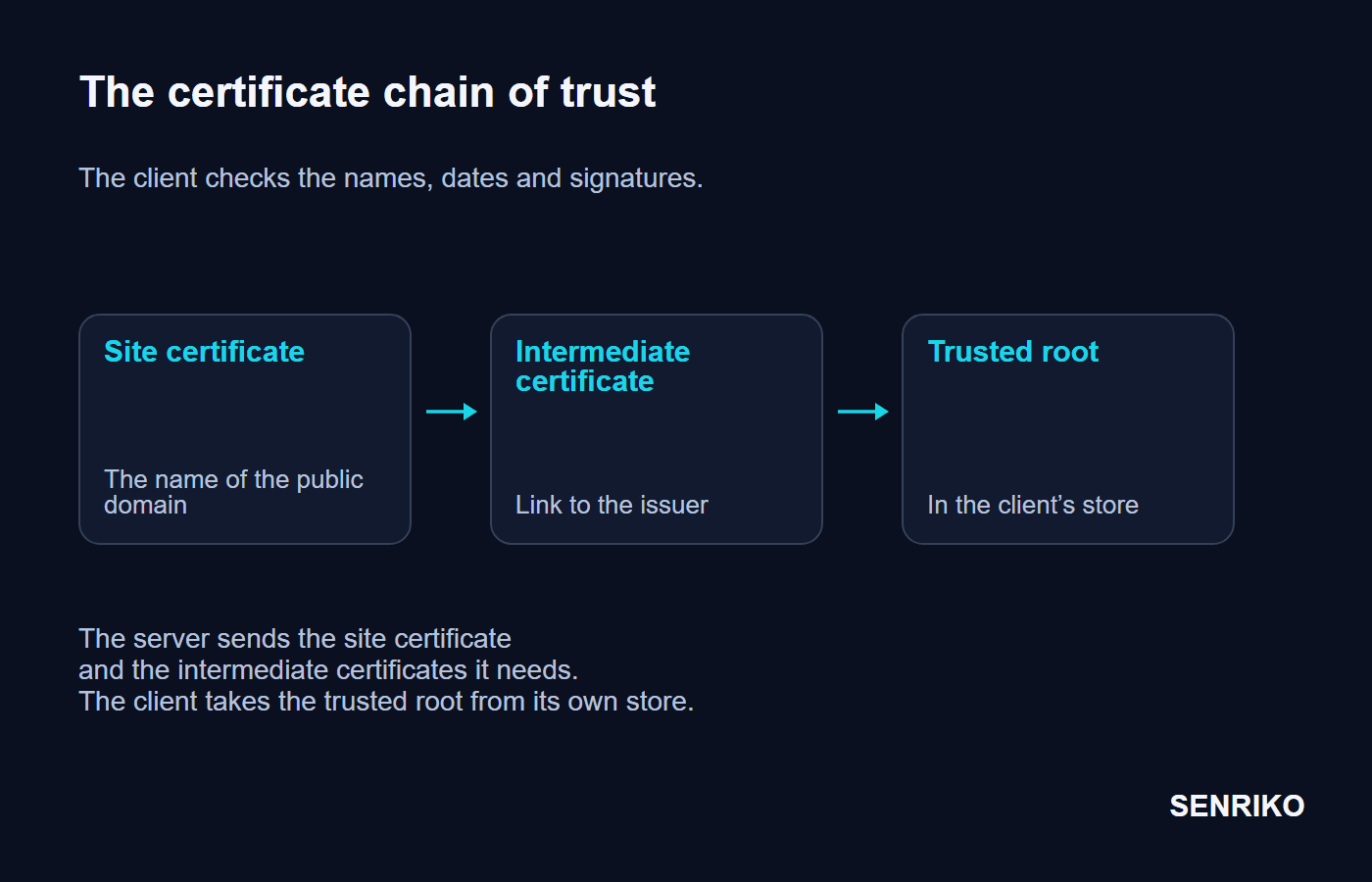
A site’s certificate normally links to a trusted root through an intermediate certificate. The server has to send the intermediates it needs; the client takes the trusted root from its own store.
openssl s_clientwith-showcertslists every certificate the server sends, and a missing intermediate typically ends inunable to verify the first certificate.Keep the result of an outside test
The SSL Labs Server Test shows the chain, details of the TLS configuration and compatibility. Open the specific warnings in the report and match them to the client that fails.
If the site is served through a CDN or a load balancer, check which node ends the visitor’s TLS connection. Replacing the certificate on the application server may change nothing about the certificate the public address shows. Choose the next checks by the real connection path of your project.
SSL certificate errors: which check matches which symptom?
A browser warning helps you pick a check but does not establish the cause. Check the expiry, the name and the trust separately, so that you fix one specific part of the configuration without giving up the check of the secure connection.
| Symptom | What to check | Possible action |
|---|---|---|
A date error, such as NET::ERR_CERT_DATE_INVALID | The certificate’s dates and the client’s clock | Issue or install a valid certificate; correct a wrong clock |
The name does not match the address, such as NET::ERR_CERT_COMMON_NAME_INVALID | The name in the URL, the SAN list, which certificate the server picks for this domain | Issue a certificate with the right name, or fix the choice on the server |
The client does not trust the issuer, such as NET::ERR_CERT_AUTHORITY_INVALID | Whether the chain is complete, and the client’s trust store | Add the intermediate certificates the chain needs; check compatibility |
| The old certificate still shows after a renewal | The certificate on the public node, and whether the new configuration was loaded | Install the new version on the right node and check what it serves |
A trust error and an insecure HTTP address are different situations. Turning off certificate checks in a client hides the problem and removes the proof that you are talking to the right server. Keep the full error text and the result of the chain check: they are more useful for the fix.
Case: the site opened on a desktop, but some clients lost the connection
CaseAnonymous casePaid certificate, Nginx
An incomplete chain after a manual replacement
- What we saw
- After a paid certificate was replaced by hand, the site opened in desktop browsers. Some older Android devices and Python clients calling the API, however, reported trust errors.
- What we found
- A check in one working browser gave the false impression that the install was done. An outside SSL Labs test showed
Chain issues: Incomplete. The configuration explained it: Nginx was serving only the domain’s own certificate,domain.crt, and the authority’s intermediate certificate had not been put into the file. Why did clients behave differently? Some browsers already held the intermediate they needed, or could build the chain themselves. Other clients could not. Nginx’s HTTPS documentation says the authority’s bundle has to be concatenated to the server certificate, with the server certificate first. Opening in one browser does not prove that the server sent the whole chain. - What was done
- We joined the domain’s certificate and the intermediate into
fullchain.crtand pointedssl_certificateat that file. Order matters: the site’s certificate first, then the intermediates it needs. After the new configuration is loaded, repeat the outside chain check and the request from the client that failed.
- IncompleteChain issues in the SSL Labs report
cat domain.crt intermediate.crt > fullchain.crtssl_certificate /etc/nginx/ssl/fullchain.crt;
ssl_certificate_key /etc/nginx/ssl/domain.key;The incomplete-chain report tied the clients’ failures to the file Nginx served. So after replacing a certificate we recommend reading the chain from outside and repeating the request from the client that failed. The check then ends on the connection that used to fail.
Case: auto-renewal failed after port 80 was closed
CaseAnonymous caseLanding page, Certbot, AWS
The certificate expired although Certbot was set up
- What we saw
- On another project a landing page greeted visitors with
NET::ERR_CERT_DATE_INVALID. The certificate had expired, although Certbot had been set up to renew it. - What we found
- The log at
/var/log/letsencrypt/letsencrypt.logheldTimeout during connecterrors, repeating over the last month. A month before the incident, inbound HTTP traffic on port 80 had been closed in AWS Security Groups, leaving HTTPS on 443. The project used the HTTP-01 challenge. With it, Let’s Encrypt asks for a special response from the site, and the challenge can only be done on port 80. An open HTTPS port does not make HTTP-01 reachable. The renewal job ran, but the proof of control over the domain failed. - What was done
- First we restored access for HTTP-01 and renewed the certificate. For later renewals we chose DNS-01: the confirming TXT record was created through the DNS provider’s API, so the process no longer needed inbound HTTP.
- 1 monthof Certbot errors before the certificate expired
- port 80closed in AWS Security Groups a month earlier
The choice depends on your infrastructure. For HTTP-01, check from outside that the challenge path is reachable, and check the network rules. For DNS-01, set up the automatic creation of the TXT record under _acme-challenge for your domain. It only makes sense for automated renewal if your DNS provider has an API, but unlike HTTP-01 it can also issue wildcard certificates. Publishing a record by hand is fine for a single issue; the next one has to run by a configured process. After the setup, run a renewal test.
What should you check after issuing or renewing a certificate?
After issuing, check the certificate the client receives and repeat the actions that matter on the site. A successful Certbot job and a new certificate actually being served are two different checks.

Compare the new expiry on the public domain, the completeness of the chain and the name. Make sure the web server’s configuration has been tested and loaded. If several nodes end TLS, the check has to match that setup: one local file may not be enough.
To test the renewal process itself, Certbot has a dry run:
certbot renew --dry-runIt is a test run against Let’s Encrypt’s staging server, and the test certificates it obtains are not saved, so it checks the configured process without a real issue. Then watch the results of the actual renewals, not only the presence of a schedule. A change to a firewall, to DNS, a site move or a configuration change can affect the next one.
Once HTTPS is back, open an important page and check the form, the sign-in or the payment: the action the visitor came for. A certificate can be valid while another stage of the site has stopped working.
Set up issuing and renewal in your own infrastructure, and watch what visitors receive from outside. Add the site to SENRIKO and its SSL check looks at the certificate on the public address: it warns before the expiry and flags an expired certificate, a name that does not match the site, an incomplete chain and a change of issuer. When something fails you have observations to work from; how often it checks depends on your plan.
Frequently asked questions about SSL certificates
Is a free SSL certificate good enough for a production website?
Why monitor the expiry if auto-renewal is set up?
Does HTTPS prove that leads reach your team?
What is the difference between SSL and TLS?
How long is an SSL certificate valid?
Sources
- Transport Layer Security (TLS)MDN Web Docs
- Configuring HTTPS serversnginx documentation
- Challenge TypesLet’s Encrypt
- Why ninety-day lifetimes for certificates?Let’s Encrypt
- User Guide: renewing certificates and --dry-runCertbot documentation
- SSL Server TestQualys SSL Labs
- SSL Certificate Types Explained: DV vs OV vs EVGlobalSign
- Ballot SC081v3: Introduce Schedule of Reducing Validity and Data Reuse PeriodsCA/Browser Forum