Contents
- What does a 504 Gateway Timeout error mean?
- How do you find the timeout in the chain of a request?
- Case: a checkout waited for an SMS service
- Case: a PostgreSQL query ran for 85 seconds
- When should you change the timeouts?
- What should a visitor do after a 504 on sending an order?
- How do you check the fix and watch for a repeat?
- Frequently asked questions about 504 Gateway Timeout
In two projects of our team the waiting was lost at different places. A checkout was held up by an SMS service. An admin dashboard waited for an SQL query: it ran for 85 seconds, while the proxy’s limit of waiting was 60 seconds.
What does a 504 Gateway Timeout error mean?
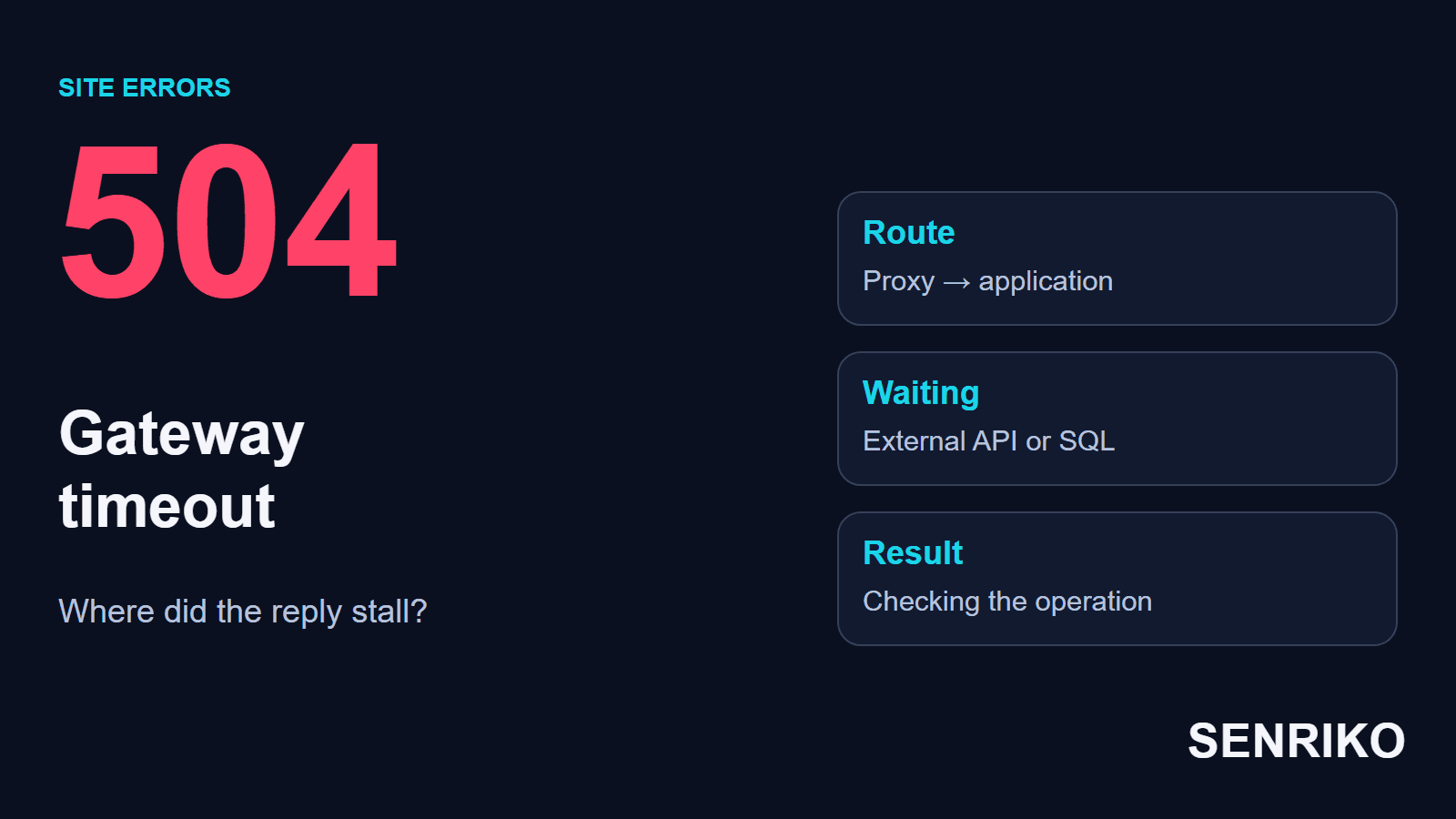
A 504 is returned by a server that works as a gateway or a proxy when it does not get a timely response from the next server. RFC 9110 defines the status that way. The visitor usually sees the message 504 Gateway Timeout or the spelling 504 Gateway Time Out.
Behind a site’s address there can be a CDN, a load balancer, a web server and the application. The application, in turn, calls the database and external APIs. If one stretch is late, the whole chain has to wait. A 504 reports that the wait ran out at the intermediary; the cause of the delay has to be sought further on.
The difference from a 502 Bad Gateway lies in the nature of the response. With a 502 the gateway got an invalid response, and with a 504 it never got a timely one. MDN puts it as a 504 being similar to a 502, except that the proxy or gateway did not receive any HTTP response from the origin within a certain time, and says that fixing the problem likely needs investigation by the server administrators. These definitions help you to choose the log to check, but they do not name the faulty component.
The word “Nginx” on the page shows which server formed the error page. The long work could have happened in the application, in an SQL query or in an external service. So changing the Nginx settings without checking that chain can only lengthen the time the visitor spends waiting.

How do you find the timeout in the chain of a request?
Start from one failed request and match it with the logs and the trace. Write down the URL, the user’s action, the exact time and how long the waiting lasted. A repeating interval, about a minute for example, helps you to test a hypothesis about a particular limit.
- In the Network tab find the request with the status 504. Establish whether it was the page document, the loading of a report or a call to an API after a button was pressed. Tick Preserve log if moves between pages hide the earlier requests.
- Save the start time, the duration, the method and any identifier you can see. Look at the response headers and the final address. That lets an engineer match what the browser saw with the server’s record.
- Find the request on the nearest proxy and find out where it was passed on. In the log the address of the next server and the stage of the failure matter: making the connection, waiting for the headers or reading the response.
- Match the record with the application’s log. If you have distributed tracing, look at which nested operation took the time: getting a database connection, SQL, an external API or building the result.
- Check the actual settings of this route. A CDN, Nginx and the client of an external API can have different limits of waiting. The setting of one stretch says nothing about the limit of another.
If only a browser is available, give the team the data from the first two steps and the sequence of actions. After a payment, the number of the order or some other mark by which support can find the operation will be useful. Cloudflare’s support asks, for a 504, for the time with its time zone and the failing URL, which are the same details.
First of all, look for a stretch of long waiting that the logs confirm. The average load of a server easily hides such a cause: a handler can be waiting for an external reply while the processor is free.
Case: a checkout waited for an SMS service
CaseAnonymous caseA checkout and an external SMS service
A checkout waited for an SMS service
- What we saw
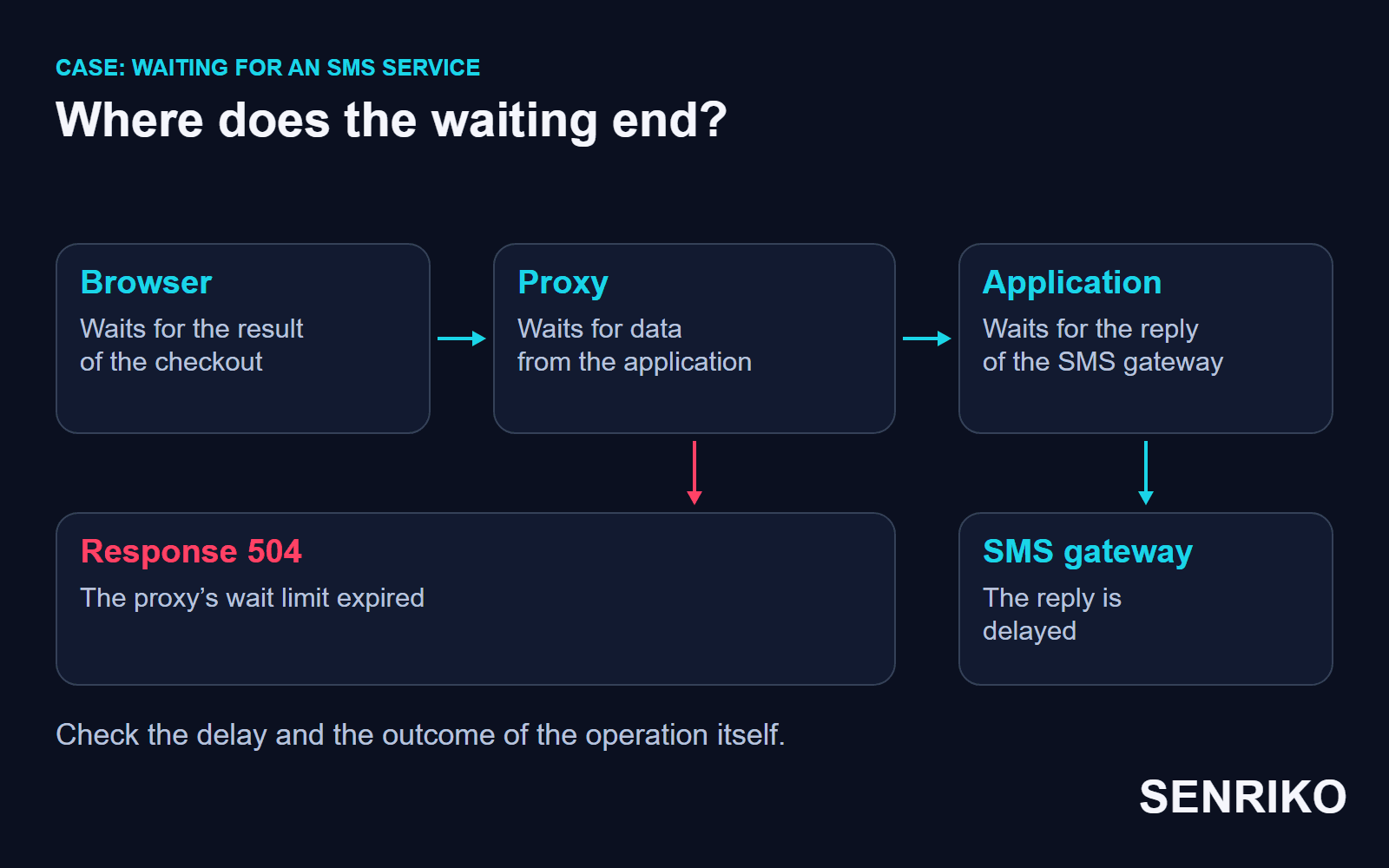
- In one of our projects a user at the checkout waited about 60 seconds and got a 504 Gateway Timeout. The team looked at the trace and saw that the backend was waiting for an external service that sends SMS.
- What we found
- The HTTP client of that call had no timeout of waiting set. The external dependency delayed its reply, the handler carried on waiting, and an intermediary in front of the application did not wait for the reply and returned the 504. That tied the minute the browser saw to one particular stretch of the server’s scenario.
- What we did
- Localising it through the trace took about 20 minutes. In the code the waiting for the SMS gateway was limited to three seconds; the hotfix and the deploy took about another 40 minutes. The three seconds belong to the decision of that project: for another service the time is chosen by the needs of the operation.
- about 60 secondsthe user waited before the 504
- about 20 minutesto localise it through the trace
- about 40 minutesfor the hotfix and the deploy
- 3 secondsthe new limit of waiting for the SMS gateway
How you handle the failure depends on the role of the SMS. If it is a notification about an order that already exists, its delivery can be arranged apart from the answer to the user. If the message confirms an action or an identity, the scenario has to keep that check and show a clear result of the error. Moving the sending to a queue first needs you to establish which of these two jobs the message belongs to.
In this case it was right to begin with the external dependency: the trace showed which call the time went on. The next step is to check how the application ends the request after the chosen timeout and what result the user gets.
Case: a PostgreSQL query ran for 85 seconds
CaseAnonymous caseAn admin dashboard and PostgreSQL
A PostgreSQL query ran for 85 seconds
- What we saw
- In another project an admin dashboard with new filtering returned a 504. The team saw that the application did not fit into the 60 seconds of waiting at the proxy, and moved from the outside status to a search for the slow SQL query in PostgreSQL.
- What we found
- The table held about 50 million rows. After the filter by status was added, the query ran for about 85 seconds. Checking the plan confirmed a full scan of the table after the status filter was added. Finding the query and going through the plan took about 15 minutes.
- What we did
- The team created the index it needed with
CREATE INDEX CONCURRENTLY; in this project the build took about 20 minutes.
- about 85 secondsthe query ran after the filter was added
- 60 secondsthe limit of waiting at the proxy
- about 15 minutesto find the query and go through the plan
- about 20 minutesto build the index in this project
CREATE INDEX CONCURRENTLY has an advantage and a cost. PostgreSQL’s page on it says it builds the index without taking a lock that prevents concurrent inserts, updates or deletes, but that it must scan the table twice, wait for the transactions that could use the index, take significantly longer and use more CPU and I/O, which can slow other operations. So the word CONCURRENTLY does not mean no load and no waiting. The time of the build depends on the table, the system and the current activity. The same page adds that if a build fails, it leaves an “invalid” index that is ignored by queries and has to be dropped before you try again.
An index is chosen for a particular query, its conditions and its plan. Its use is decided by the distribution of the values, the other conditions and the amount of data returned. Those parameters are checked against the plan and the measurements of the query in question.
When you diagnose again, remember that EXPLAIN ANALYZE runs the query, and that a data-modifying statement can be wrapped in a transaction and rolled back if you do not want its side effects. A heavy query on a live database will create the real load once more. For the check, pick controlled conditions and compare the plan with the actual time before and after the change.
When should you change the timeouts?
Change a limit of waiting after you know the cause of the delay. If an operation is useful and is long by its nature, agree its time with all the stretches that serve it. If the time goes on a hung integration or on a needless scan of data, fix that work first.
| Stretch | What is limited | What to check before a change |
|---|---|---|
| Nginx’s connection to the application | Making the connection | The availability of the application, its queue and the network route |
| Nginx reading the application’s response | The interval between reads of the response | The start of the response, the pauses, the state of the handler |
| The HTTP client of an external API | Waiting at the configured stages of the call | The agreed time of the dependency’s reply and the behaviour on refusal |
| Long processing inside the application | The execution of a task | The amount of data and whether it can run in the background |
In the Nginx documentation proxy_read_timeout is 60 seconds by default, and so are proxy_connect_timeout and proxy_send_timeout. The read timeout is the limit between two successive read operations of the response from the next server, not for the transmission of the whole response; the connect timeout, the page adds, usually cannot exceed 75 seconds. It does not set a universal total time for any request. A stream that is working and delivering data and a handler that has gone silent behave differently.
Other layers have their own limits. AWS lists the causes of a 504 from an Application Load Balancer: no connection to the target within 10 seconds, a target that did not respond before the idle timeout, a network ACL that blocks the way back, a target that sends a content-length larger than the body, and an SSL handshake timeout. And Cloudflare returns a 524 when the origin gives no HTTP response within its default 125 seconds, and recommends status polling for large processes.
For a report that really has to run long, consider a background task: the application accepts the request, returns the task’s identifier, and the result becomes available later. Such a scenario is designed together with the states “queued”, “running” and “failed”, so that the visitor can understand what is happening with their request.
Agree the changes from the slow stretch out to the outside response. If the next server keeps silent for longer than the intermediary’s limit, the 504 stays whatever the setting of the client in front of it. For a long operation that is allowed, the whole chain has to be checked, including the time the user is ready to wait.
Check retries separately. If after a timeout the application calls the same slow dependency again without limit, the load keeps growing. The number of attempts and whether the action may be repeated must fit the operation.
What should a visitor do after a 504 on sending an order?
First check whether the order appeared and whether the payment went through. The intermediary’s answer does not prove that the application stopped together with it. So you should press “Pay” again or create a new order only after you learn the result of the first attempt.
Open the list of orders, the email or the confirmation of the payment service, if they are available. If the status stays unclear, tell support the time, the order number and the amount. Do not give them the full card number, confirmation codes or a password.
When you are just browsing a page, you can pause and load it again. If the problem is only yours, compare another network or browser. When a 504 reproduces for different visitors on one action, the site’s team does the rest of the diagnosis.
It helps an owner to provide a clear screen after such a failure: how to check the order, where to find support and how to learn the result. That is especially important for operations whose repetition can create a duplicate.
How do you check the fix and watch for a repeat?
After the change, repeat the original request under the same conditions: the size of the report, the range of dates or the same checkout action. Compare the response time, the application’s records and the outcome of the operation. A successful load of a neighbouring page does not replace this check.
For an external API, also check the scenario of its failure in a controlled environment. The application should end the waiting by the rules you chose and show a clear result. For SQL, compare the new plan and the duration, then make sure the change did not put an unacceptable load on other operations.
Keep in the record of the incident:
- the original URL, the action and the request identifier;
- the stretch on which the waiting ran out;
- the confirmed cause and the change that was made;
- the result of the repeat check and the conditions it was made under.
Add the site to SENRIKO monitoring to watch the availability of the pages you choose after the fix. A page that answers with a 5xx code is reported with its status, and a page that takes the request and sends nothing back in the time allowed is reported separately, as an answer that is too slow. If the timeout touched a form, add a check of its scenario on a confirmed site. The depth and frequency of the checks depend on the plan; the internal logs and SQL plans are analysed by the application’s team.
At a repeat refusal, go back to the saved chain. Compare the stretch of waiting and the outcome of the operation with the earlier incident before you change any settings.
Frequently asked questions about 504 Gateway Timeout
What does a 504 Gateway Timeout error mean?
What is the difference between a 502 and a 504?
Should I place the order again after a 504?
Does raising the proxy timeout fix a 504?
What is the default proxy_read_timeout in Nginx?
Is CREATE INDEX CONCURRENTLY free of load?
Why can a 504 appear while the server’s CPU is free?
Sources
- RFC 9110: HTTP Semantics (504 Gateway Timeout)IETF
- 504 Gateway TimeoutMDN Web Docs
- Module ngx_http_proxy_module: proxy_read_timeoutnginx
- Troubleshoot your Application Load BalancersElastic Load Balancing, AWS
- Error 502 and error 504Cloudflare Support
- Error 524Cloudflare Support
- Network features referenceChrome DevTools
- CREATE INDEXPostgreSQL documentation
- Using EXPLAINPostgreSQL documentation
- Pricing and levels of checksSENRIKO