Contents
- What does a 503 Service Unavailable error mean?
- How do you find out who returns the 503?
- Case: PostgreSQL connections stayed in transactions
- How do you serve a 503 during maintenance?
- What do you check in an overload and in repeated failures?
- How do you confirm the recovery and set up control?
- Frequently asked questions about 503 Service Unavailable
From our own team’s practice we show how to get from the HTTP code to the cause. There the application stopped accepting requests because of PostgreSQL connections that were left inside unfinished transactions.

What does a 503 Service Unavailable error mean?
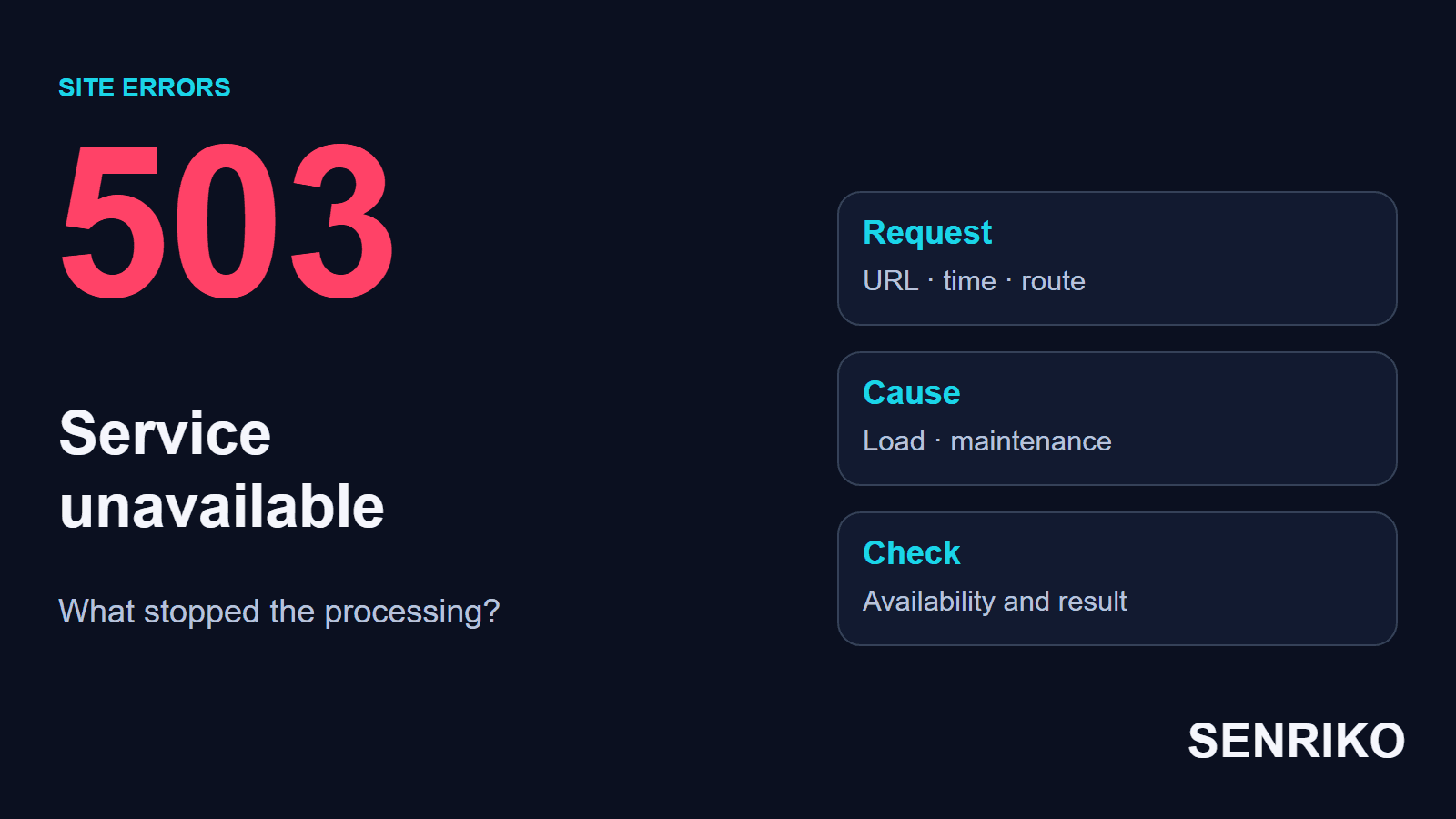
HTTP 503 says the server is not ready to handle the request right now. RFC 9110 names a temporary overload and scheduled maintenance, and MDN adds that during overload some applications reject requests with a 503 when memory, CPU or connection pool limits are met. Such an answer points to a temporary state, but the time of recovery is set by the site’s team.
The message can read 503 Service Unavailable or 503 Service Temporarily Unavailable. Behind it there can be the application, a load balancer, a web server or a protective layer. A hosting logo on the page helps you to pick a direction for the check, but the exact source of the response is confirmed by the logs. The RFC adds that a server does not have to use 503 when it becomes overloaded: some servers simply refuse the connection.
A 503 differs from a 502 Bad Gateway: with a 502 an intermediary reports an invalid response from the next server. With a 503 you first check readiness to serve the request. One cause, busy handlers for instance, can lead to different codes depending on how the system is built. An Application Load Balancer, for example, returns a 503 when its target groups have no registered targets, or when all of them are unused.
The error belongs to an address and an action. A homepage that loads and a cart request that is refused are quite compatible. So to judge the consequences, save the visitor’s path up to the failure: that lets you check the very scenario that brings enquiries or orders.
How do you find out who returns the 503?
Match the refused request with the logs of the systems that serve it. To begin with, an address, an action, the exact time with its time zone and the HTTP status are enough. If there is a request identifier, give it to the developer together with these.
- Open the browser’s developer tools and the Network tab. Tick Preserve log if the action involves a move to another page, then reproduce the failure. Find the request with the status 503: it can be the page document or a separate call to an API.
- Look at the final URL and the response. Write down the method of the request, the time and any identifier you can see. The words “service unavailable” inside the HTML do not by themselves establish the HTTP code: the Status Code field shows it.
- Establish the scale. Try a neighbouring page and the same address from another network. Compare a guest visit with a signed-in one if the refusal concerns an action that needs an account. That separates a general failure from a problem of one route or one group of visitors.
- Find the request in the log of the layer nearest to the visitor. If a CDN returned the 503, find out whether it sent the request on. If the request reached the application, match the record with its errors and with the state of its dependencies.
- Check the events before the first refusal: a release, maintenance, a growing queue, an unavailable database. A match in time gives you a hypothesis. You confirm it with a record of the error and by reproducing the action that failed.
It is convenient to run the check from the public answer to the next link in the chain. If the application accepted the request and is waiting for a database connection, carry on in its log and in PostgreSQL. When the application’s log has no such request, find out how it was routed at the proxy and whether the logging itself is complete.
Without access to the server, give these details to the hosting support. A useful message looks like this: “At 19:42 UTC the POST request of the checkout returned a 503; the homepage was opening at that time; the request identifier is such-and-such.” It already holds the conditions on which an engineer can look for the refusal.
Case: PostgreSQL connections stayed in transactions
CaseAnonymous caseA web application with a microservice
Connections stayed inside open transactions
- What we saw
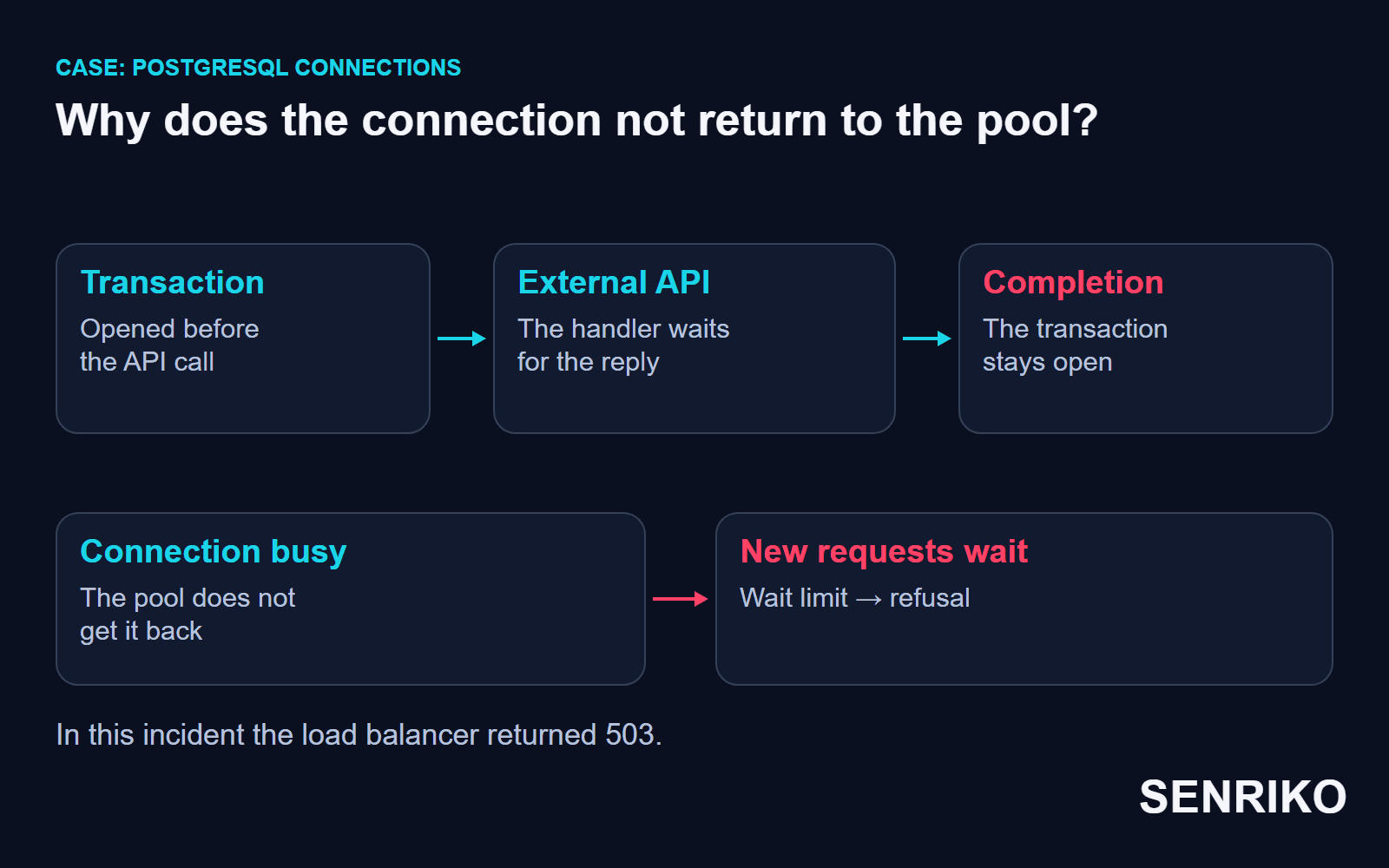
- In one of our projects an evening influx of visitors ended in 503 answers from the load balancer. The application stopped serving new requests, and its log filled with
Timeout getting connection from poolerrors: the handlers could not get a connection from the pool in the time allowed. - What we found
- We matched the errors with the state of PostgreSQL. The
max_connectionslimit had been reached, and about 90% of the connections were in the stateidle in transaction. That meant a connection sat idle with a transaction left open. We found the source in a recently updated microservice: after its call to a third-party API, the transactions stayed unfinished and kept holding their connections. The error showed itself during the evening influx of visitors. - What we did
- To recover, we rolled the microservice back. The rollback itself took about five minutes; the whole outage lasted about 30 minutes. The next day the team introduced PgBouncer as an additional layer for managing connections to PostgreSQL.
- about 30 minutesthe whole outage
- about 5 minutesthe rollback of the microservice
- about 90%of the connections were idle in transaction
The rollback removed the source of the held connections. PgBouncer was added to the management of connections later. Its description of the pool modes says that in transaction pooling a server connection is assigned to a client only during a transaction, and goes back to the pool when the transaction is over. While a transaction stays open, that resource stays busy. The same page warns that this mode breaks a few session-based features of PostgreSQL, so it suits an application that does not rely on them.
When we go through a similar failure, we recommend checking how long transactions live and where they end, including the handling of errors from an external API. PostgreSQL also has idle_in_transaction_session_timeout: it ends a session that has been idle inside an open transaction for longer than the time you set, so that it does not hold locks for an unreasonable time. It is off by default, at zero. Its value is agreed with the application and with the pool mode; ending transactions correctly stays a job for the code. The same page notes that an open transaction also keeps vacuum from removing recently dead rows, and that idle_session_timeout is the separate setting for an idle session with no transaction.
It is worth telling the states idle and idle in transaction apart at the first look at the connections. In the first, the connection waits for a new command with no transaction open. In the second, the transaction stays open: you have to follow its ending, and the release of the resource, back to a particular handler. A plain sum of all connections hides that difference.
How do you serve a 503 during maintenance?
For the time of planned work a site can return a 503 with a clear maintenance page. It is worth telling the visitor what is going on and how to reach the team. If the time is known, the server can pass a hint for the next attempt in the Retry-After header.
For example, the answer to a page request may carry these headers:
HTTP/1.1 503 Service Unavailable
Retry-After: 120
Cache-Control: no-store
In the example the server suggests repeating the request in 120 seconds. For real work the team gives its own reasoned estimate. Retry-After passes it to the client; how a retry is made depends on the client. The readiness of the service is then confirmed by a new check.
Check the caching rules separately. MDN points out that responses to a 503 usually should not be cached, because clients may receive outdated error pages after a fix has been deployed. Even if the origin server already works, a visitor can get the old error page from an intermediate cache. After maintenance, check the public address with the CDN and its current rules in mind.
The status of the response affects crawling too. Google says that 5xx responses slow its crawling, and that URLs which stay unavailable for long can in time leave the index. Do not remove a 503 by swapping the code for a 200 while the page is still broken: first restore the content and the action that are needed.
What do you check in an overload and in repeated failures?
Compare the moment of the refusal with the queues and the resources available. To choose the fix, it is more useful to know what the application is waiting for than to see only the average load of the processor. A free CPU is compatible with waiting for a database or an external service.
| Observation | What to check | How to choose the action |
|---|---|---|
| The refusals begin after a release | The changed route, the new dependencies, the state of the instances | Localise the change and prepare a controlled rollback |
| Requests wait for a database connection | The size of the pool, the open transactions, the connection limit | Remove what holds the resource, then agree the limits |
| The queue grows during a peak | Simultaneous operations, the time of processing | Lower the cost of the request or separate the heavy task |
| The 503 stays after the work is finished | The maintenance mode, the readiness of the application, the cache | Check each of these through the public address |
Before a restart, save the state of the system: the operations that were running, the connections that were busy and the delays of the dependencies. A restart frees part of the resources, so the original picture can vanish after it. The data will be useful if the error returns at the next peak.
Compare successful and refused requests over the same period too. If only a report or one particular form fails, start from that route. If almost any address is refused, check the shared dependency: the available instances of the application, the database and the limit of simultaneous processing. Choose the scale of the fix by that observation.
Add new resources only after you have checked the limit. More application processes means more potential calls to the database, and a larger pool also has to be agreed with the connections that are available. Otherwise the bottleneck simply moves to the next stretch.
For a heavy report or a bulk data job, consider a separate background run. Such a solution helps when the visitor can be given the status of the task at once and the result later. Whether the operation can be separated is decided by its business logic.
How do you confirm the recovery and set up control?
Repeat the scenario on which the refusal came, and check its result. Then see whether the queue is gone and whether resources are freed after a request is served. A single 200 on the homepage shows only that this page loaded at the moment of the check.
After the fix it helps to go through this list:
- the problem address returns the expected response through the public domain;
- the maintenance mode is off, and the CDN serves current content;
- a form or an order ends with the result you need;
- after an operation the connections and the handlers are freed;
- when the earlier conditions are repeated, the failure is not reproduced in the checks you ran.
Use the earlier public route for the check. A direct address of the application can bypass the CDN or the load balancer where the error remained. Such a request is useful to an engineer for comparing the layers; the result for a visitor is confirmed by a check through the ordinary domain.
Add the site to SENRIKO monitoring to notice repeated refusals of the pages you choose and to keep the history of the checks. A page that answers with a 5xx code is reported with its status, worded as “This page is currently unavailable to visitors (HTTP 503)”. If the failure touched an enquiry, check the form separately, on a confirmed site. The delivery of a test lead to the CRM is confirmed by a receipt from the CRM’s rule, and the depth and frequency of the checks available are listed in SENRIKO’s pricing.
In the record of the incident, keep the original refusal and the result of the same check after the fix. At the next failure, compare the address, the action and the state of the resources with that record: it will be clearer whether the earlier cause has returned.
Frequently asked questions about 503 Service Unavailable
What does a 503 Service Unavailable error mean?
What is the difference between 502, 503 and 504?
Should a site return a 503 during maintenance?
Why can I still see a 503 after the fix?
Why can a 503 appear while the CPU is free?
What does “idle in transaction” mean?
Does a 503 hurt search visibility?
Sources
- RFC 9110: HTTP Semantics (503 Service Unavailable and Retry-After)IETF
- 503 Service UnavailableMDN Web Docs
- Troubleshoot your Application Load BalancersElastic Load Balancing, AWS
- Network features referenceChrome DevTools
- Client connection defaults, in the server configurationPostgreSQL documentation
- Features: pool modesPgBouncer
- How HTTP status codes affect Google’s crawlersGoogle Crawling Infrastructure
- Delivery to the CRM, the receiptSENRIKO
- Pricing and levels of checksSENRIKO