Contents
- What does a 403 Forbidden error mean?
- How do you find the source of a 403 on a website?
- Why does a WAF block an ordinary visitor?
- Why do CSS, JavaScript and images get a 403?
- How do you fix a 403 Forbidden in Nginx and Apache?
- How do you check the fix and notice a repeat failure?
- Frequently asked questions about 403 Forbidden
Let us save the failed request and find where the refusal came from. Then the fix can be checked on the reproduced path, from the original link to the page or action that was needed.
What does a 403 Forbidden error mean?
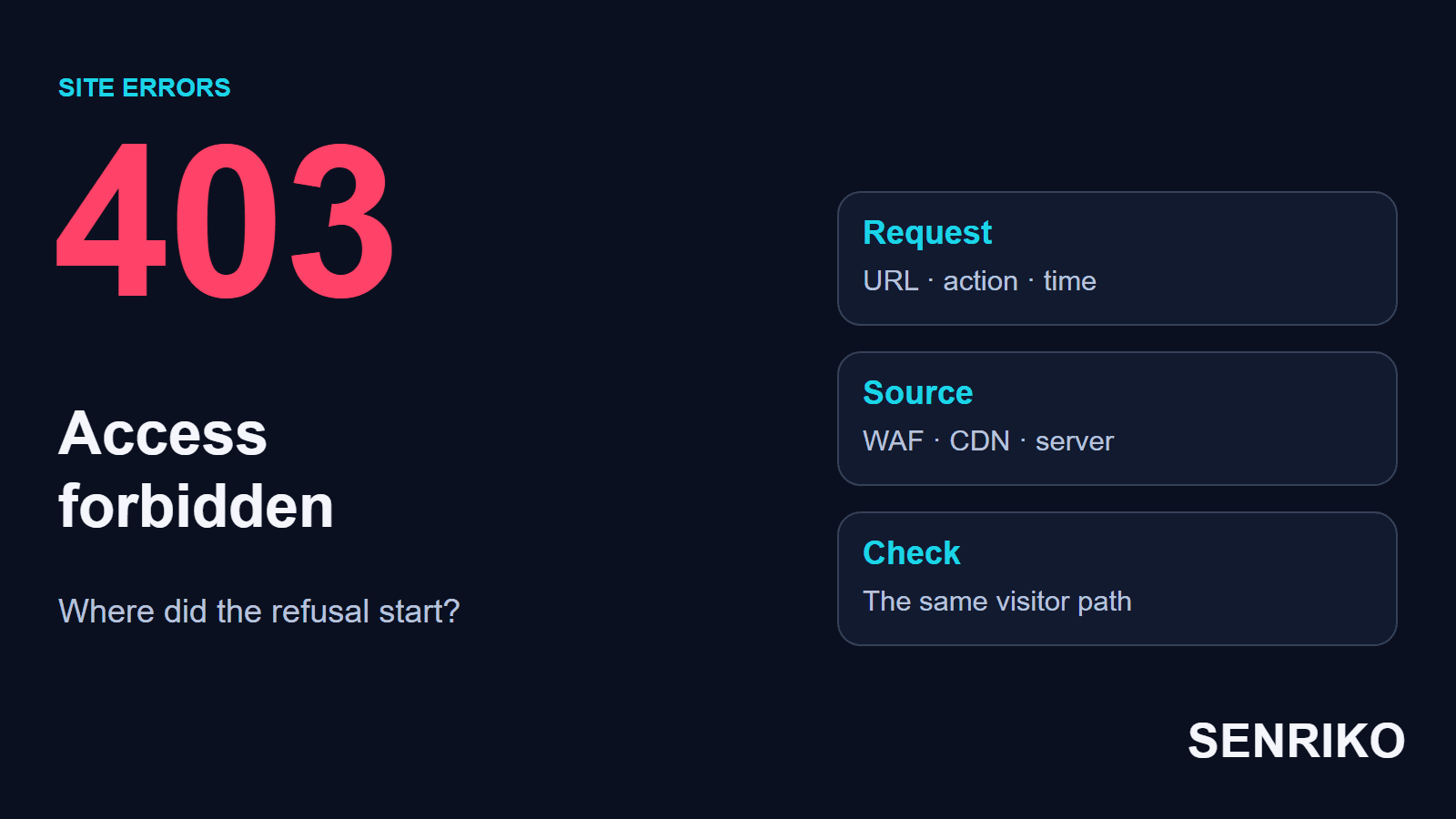
HTTP 403 means the server understood the request and refuses to fulfil it. MDN adds that the failure is tied to application logic, such as insufficient permissions to a resource or action, and that repeating the request without modification will fail with the same error. To find the cause, match the response with the logs: the refusal can come from the application, from the server’s configuration or from a protective rule in front of it.
Sometimes the refusal is intended. A visitor without the right role tries to open the staff area, and the site rightly keeps it closed. It is another matter if a public product page stops opening after an update. First establish who should be able to open the page, and under what conditions.
A 403 is close to 401 Unauthorized, with a difference MDN states plainly: for a 403, authenticating or re-authenticating makes no difference. RFC 9110 says that if credentials were sent, the server considers them insufficient. A 404 can also hide a 403: the same RFC lets a 404 mean that the server is “not willing to disclose” that a resource exists, and MDN notes that site owners may send a 404 instead of a 403 for that reason.
| Response | The question to check |
|---|---|
| 401 Unauthorized | Does the resource require authentication, and were the right credentials sent |
| 403 Forbidden | Why is this request refused in the current conditions |
| 404 Not Found | Does the resource exist at that address |
| 429 Too Many Requests | Which rate limit was triggered |
If you are a visitor to someone else’s site, check the address and your account. For a closed section, ask the owner for access. If a public page refuses you unexpectedly, send support the link, the time and a description of what you did: those details help to find the request.
How do you find the source of a 403 on a website?
To diagnose a 403 on a website, save one failed request and match it with the logs. The refusal can be produced by a security service in front of the site, by the web server or by the application. Before you change any settings, you have to establish which layer it was.
- Open the browser’s developer tools and the Network tab. Tick Preserve log, so that a move to another page stays in the record. Repeat the original action: following an ad, loading a product page or submitting a form.
- Find the request with the status 403. Look at the full URL, the method, the time, the type of resource and the content of the response. Check the page document, the CSS and JavaScript files and the form requests separately: their results can differ.
- Save the request identifier if the response carries one. A security service, for example, may add its own ID. It helps to link the browser’s record to an event in the security panel.
- Look for a match in the logs of the CDN or WAF, then of the web server and the application. A CDN delivers content and a WAF filters web requests. See at which stage the request was refused and whether it was passed on.
- Match the start of the failures with a release, a change of permissions or a change of a protective rule. Test the hypothesis on the same address, keeping the other conditions the same.
The Chrome DevTools documentation describes saving requests across page loads and viewing the headers and the response. A screenshot of a page that says Forbidden is useful to support, but for a developer the request itself and its context matter more.
The look of the error page tells you where to search, and the logs confirm it. Cloudflare’s page on error 403 says that a 403 without Cloudflare branding is returned by the origin web server, for example because of permission rules, mod_security rules or an IP deny rule. A branded one may come from WAF rules, the Security Level, DDoS protection or the Browser Integrity Check, and an unstyled Cloudflare 403 is not logged. So if there is no record in the application’s log, check the previous layer and the logging itself.
For the matching, save the time with its time zone and the conditions of the request: the original link with its parameters, the account and the action. Then a developer can search for the same request, even if the page opens fine from the menu.
Why does a WAF block an ordinary visitor?
Part of a correct request can match the signature of a protective rule. A WAF event shows the rule, the action of the filter and the field: with them you check for a false positive and choose where to fix it.
CaseIllustrative exampleA fictional store
A link from a mailing gets a 403, while the menu works
- What you see
- Say a store sent an advertising mailing. The link leads to the cart and carries UTM parameters, and one of the values matches the signature of an SQL injection. The recipients see a 403 before the application handles the request. When they go to the cart from the menu, it works.
- What to compare
- Compare the original link from the mailing with a correctly encoded version, keeping the values of the parameters. Then find the WAF event and its field: the match can be in the URL, a header or the body. Special characters are allowed in a correct request; the cause of the refusal is confirmed by the check that fired.
- What to fix
- If the false positive is confirmed, the developer chooses between changing the format of the link and an exception for one rule and one part of the request. In Cloudflare, exceptions to managed rules let you skip chosen checks under conditions. Check at which level the rule is set: its page says an exception defined at the zone level will not prevent a match at the account level.
After the change, repeat the move from the email, the cart and the request with the value that caused the problem. Check as well that the other restrictions you need still apply. Keep the original link in the set of checks you run after releases.
Why do CSS, JavaScript and images get a 403?
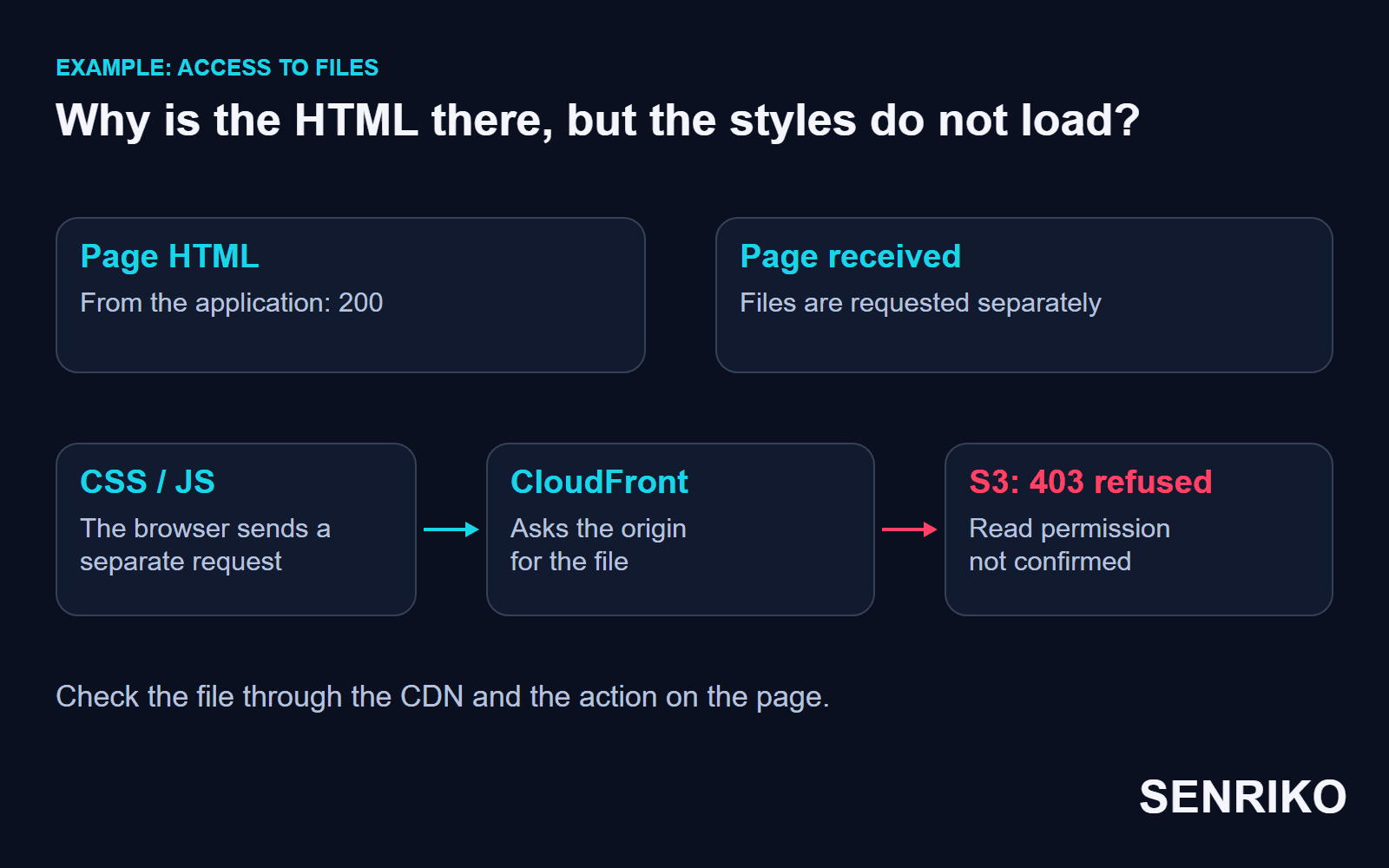
A browser asks for the HTML, the styles, the scripts and the images separately. Getting the document is compatible with a refusal for a resource at another address. So a check of the status of the homepage alone can miss a broken interface.
CaseIllustrative exampleA fictional site with its files in S3
The HTML opens, but the files through the CDN get a 403
- What you see
- Picture a site whose files sit in a private Amazon S3 bucket, with CloudFront serving them to users. After an infrastructure update the permission that lets CloudFront read the objects disappears. The HTML keeps loading from the application; the requests for files through the CDN get a 403.
- What to check
- In Network, start from one refused file: check its path and whether the object exists, then find the refusal event. For this setup, compare the settings of the CloudFront origin with the bucket policy: access has to be allowed to the distribution in use and to the chosen way of reaching S3. A short note such as “HTML: 200, /assets/app.js: 403” hands a developer the area to check, and they will trace the file request, including the settings of its origin. AWS lists the causes for an S3 origin: CloudFront has no access to a private bucket because neither origin access control nor an origin access identity is enabled, the path in the URL is wrong, or the object does not exist.
- What to fix
- The AWS guide to restricting access to S3 describes Origin Access Control and the older Origin Access Identity, and recommends OAC. Setting the policy depends on which one is used. Making the bucket public changes the access model and does not replace restoring the permission that was needed.
Check the same file URL through the CDN. CloudFront caches error responses for 10 seconds by default, and the error-caching time can be changed, so after the fix you take that cache into account and, if needed, invalidate the cached error for the object’s URL. Then open the page again and do the action that the missing script had blocked.
Two more AWS notes help you to read the log. When AWS WAF sits in front of CloudFront, CloudFront cannot distinguish a 403 returned by your origin from one returned by AWS WAF, so check the web ACL for a blocked request. For a custom origin, make the request straight to the origin: if you can reproduce the error without CloudFront, the origin is causing it.

How do you fix a 403 Forbidden in Nginx and Apache?
The fix depends on the log entry and the route you expect. A 403 Forbidden in Nginx for a forbidden directory listing needs a different check from a refusal to read a file by the server process.
| Observation | What to check |
|---|---|
| The log shows access to a file refused | The user of the process, the owner and group of the file, read permission and traversal of the parent directories |
| Listing the directory is forbidden | Whether the address should open an index file, and whether it exists |
| After a move the address leads to the wrong place | The effective root or alias, the path to the file and the routing rules |
| The refusal matched an access rule | The scope of deny, allow, Require or the settings of a protection extension |
| The block appeared after a plugin update | Which request changed, which check rejected it and whether a controlled rollback helps |
An index file and a directory listing answer a request in different ways. If visitors should see the main page of a directory, first check that the index document exists and what it is called. Turning on a file listing in place of the page you need can expose more than you meant to.
For Nginx, check the effective configuration of the virtual server you need, including the files it includes. For Apache, take the configuration and any applicable .htaccess rules into account; the access control guide describes the Require conditions and says that the old Allow, Deny and Order directives are deprecated, so do not follow outdated tutorials that use them. The user the process runs as decides the read permissions and the traversal of directories you need.
We choose the smallest change that removes the confirmed cause. If the process that needs a file is forbidden to read it, you restore that access for it.
The command chmod 777 gives everyone write permission as well, and deleting the rules file cancels several access conditions at once. Changes like these go beyond fixing one request.
How do you check the fix and notice a repeat failure?
Repeat the path that ended in a refusal and check its result. For the cart, check access to the action you need; for a static file, check that the resource loads and that the interface that depends on it works.
The control check is worth including:
- the original link with its parameters, and the usual route through the site;
- the role of user you need and public access, if it is meant to exist;
- the page, its scripts and its styles;
- the action of a form or the cart, with agreed test data;
- a protected resource that should still be closed.
For every address you check, write down the expected and the actual result. A public product page should open, and a service file should stay closed. That way the check records both the access you restored and the restrictions you kept.
For search, the answer of a particular URL matters. Google states that it does not use the content of URLs that return 4xx status codes, and 429 is handled separately. Check the availability of the important public pages and the answers they return; a single refusal to one visitor does not yet describe the state of the whole site.
Add the site to SENRIKO monitoring and put the important pages under the availability check. A page that answers with a 4xx code is reported with its status, worded as “This page is refusing visitors with an error (HTTP 403)”. To check a form, confirm that you own the site and set up the path. An alert gives you a reason to repeat that path and to pass the context of the refusal to the developer.
Frequently asked questions about 403 Forbidden
What does a 403 Forbidden error mean?
What is the difference between 401 and 403?
Can a visitor fix a 403?
Why can a link from an email get a 403 when the menu works?
Why can the HTML load while the CSS gets a 403?
Is chmod 777 a fix for a 403?
Does a 403 hurt search visibility?
How long does CloudFront keep a cached 403?
Sources
- RFC 9110: HTTP Semantics (400, 401, 403 and 404)IETF
- 403 ForbiddenMDN Web Docs
- Error 403Cloudflare Support
- WAF exceptionsCloudflare WAF
- HTTP 403 status code (Permission Denied)Amazon CloudFront Developer Guide
- Restrict access to an Amazon S3 originAmazon CloudFront Developer Guide
- Control how long CloudFront caches errorsAmazon CloudFront Developer Guide
- Access ControlApache HTTP Server 2.4
- Module ngx_http_core_modulenginx
- Network features referenceChrome DevTools
- How HTTP status codes affect Google’s crawlersGoogle Crawling Infrastructure
- Pricing and levels of checksSENRIKO