Contents
- What does a 400 Bad Request error mean?
- Where do you start diagnosing a 400 error?
- What do you check for Request Header Or Cookie Too Large?
- Why does a form or an API return a 400?
- How do you fix a 400 error and check the result?
- What should you monitor after the fix?
- Frequently asked questions about 400 Bad Request
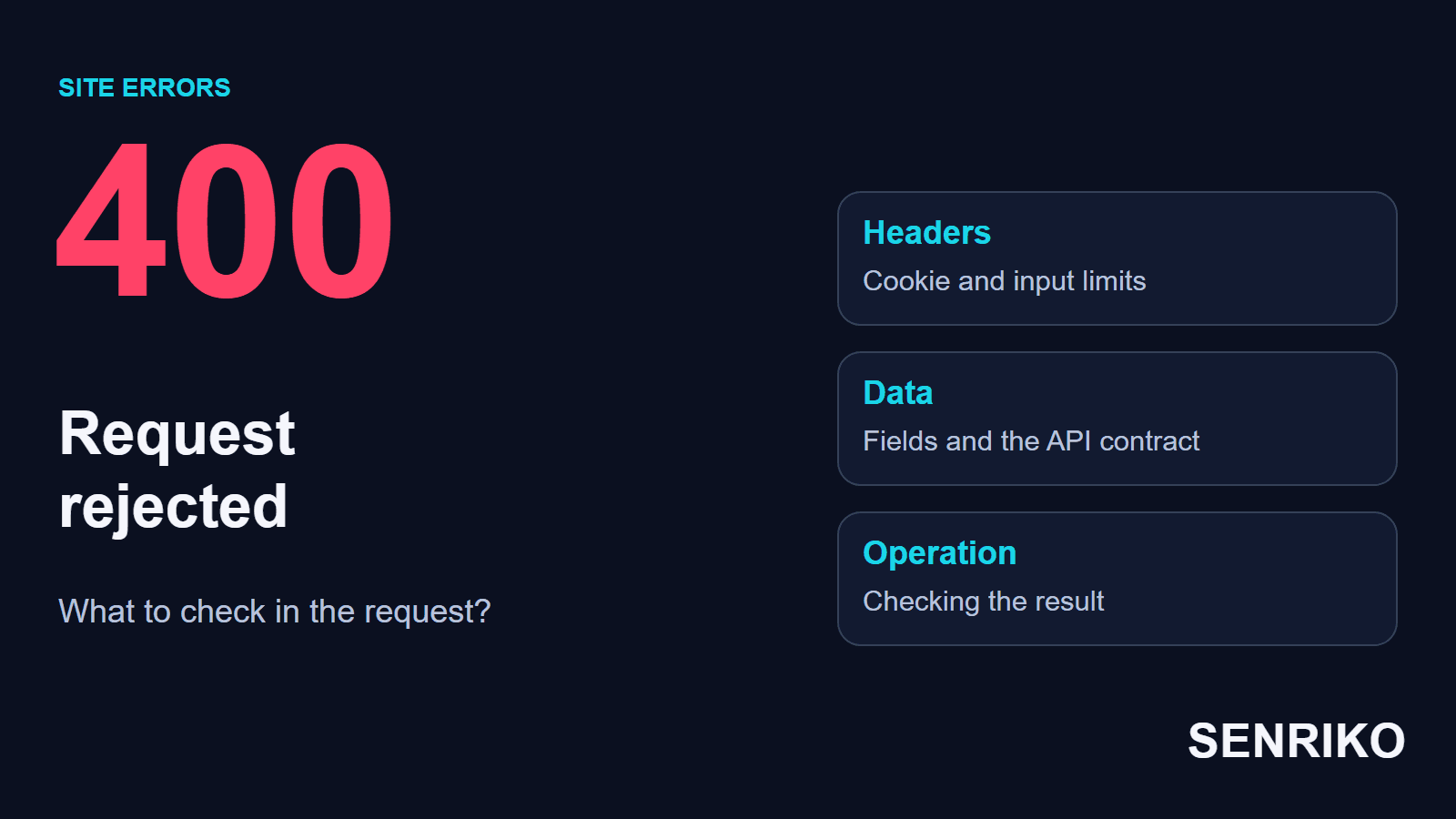
So we first save the failed request. Comparing it with a working one shows what to check next: the address, the cookies, the form data or a limit on an intermediate server.
What does a 400 Bad Request error mean?
The server returns a 400 Bad Request when it regards the request as incorrect and refuses to process it. RFC 9110 says the server “cannot or will not process the request due to something that is perceived to be a client error”, and gives malformed syntax, invalid message framing and deceptive routing as examples. MDN adds that repeating the request without modification will fail with the same error. The status alone does not tell you whether the visitor, the site’s code or an intermediate component made the mistake.
There are three levels at which a request can be rejected. A server can refuse an incorrect address or malformed data, while an API can refuse even a well-formed JSON if it breaks the rules of a field. A load balancer can stop an oversized header before the application ever sees it. What tells these cases apart is the place where the refusal appeared.
Different settings check the size of the body, the address and the headers, and there are separate answers for them: 413, 414 and 431. RFC 6585 defines 431, Request Header Fields Too Large, and MDN says servers often return it when there are too many cookies in the request. A particular implementation may still return a 400: Nginx does so for a header field that does not fit its buffer. To choose the fix, find out which component refused and why.

Where do you start diagnosing a 400 error?
Compare the failed request with a working one under conditions as similar as possible. That narrows the check to one difference: the address, a header, a field or the version of the client.
- Write down the full URL, the time and the action. Establish whether the refusal comes when opening a page, signing in, submitting a form or uploading a file. For an API, save the method: a GET, a POST and a PATCH to one address can be handled differently.
- Open DevTools → Network and repeat the action. Select the request with the status 400. In the Headers, Payload and Response tabs look at the headers, the data sent and the description of the error. The names of these tabs are in the Chrome DevTools reference.
- Repeat the same operation in a clean browser profile. For a closed section, compare requests under the same account: an open sign-in page and a request from a signed-in account area test different conditions.
- Match the time and the request identifier with the logs of the load balancer, the web server and the application. If the request was dropped at the entrance, the application may never have received it.
- Check what changed before the refusals began: a client release, a sign-in integration, a new plugin, a proxy configuration. To test a hypothesis, change one condition and repeat the original operation.
Save the request in the problem profile first, and only then clear the data. If the operation passes in a clean profile under the same account, compare cookies, authorisation and extensions. Changing several conditions at once gives you a direction; the exact cause is found by the next comparison.
Give the developer the address, the method, the time and a description of the action. If you need a HAR log, remove the secret values of Cookie and Authorization, personal data and the content of closed forms first. Chrome’s default HAR export already leaves out the Cookie, Set-Cookie and Authorization headers, and including them takes a setting you have to turn on; check what your own export contains before you send it. To check the size of a header, save its name and length; the value of a token is not needed for that comparison.
If you are a visitor to someone else’s site, first check that the link is exact. Then you can delete the data of that site alone and sign in again: Chrome lets you manage the cookies of individual sites under Settings, Privacy and security, Third-party cookies, See all site data and permissions. Google warns that deleting cookies may sign you out of sites that remember you, so you will have to restore your sign-in session.
What do you check for Request Header Or Cookie Too Large?
Compare the size of the headers that were sent with the limits of the first component that reads them. The message 400 Request Header Or Cookie Too Large points to the check of the incoming header; the settings for the size of an uploaded file solve a different task.
CaseIllustrative exampleA fictional B2B portal with single sign-on
The Cookie grew after SSO was connected
- What you see
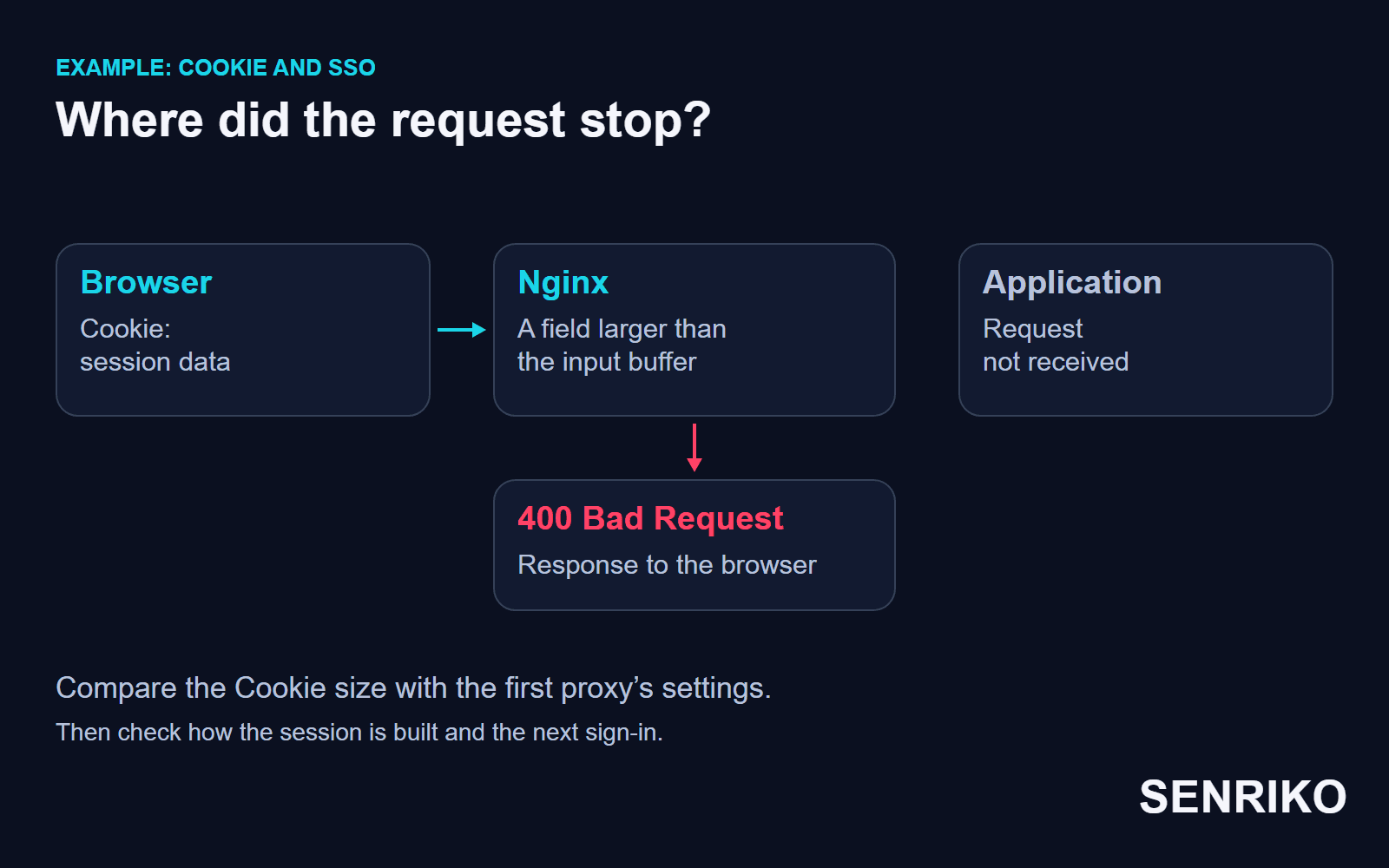
- Say a B2B portal was connected to a single sign-on system, SSO. Many roles and extra attributes began to go into the session data. The browser sends the enlarged Cookie to the portal, and Nginx rejects the request before the application. There is no usual error in the application’s log, because the profile handler never started.
- What to check
- Two checks are needed here: the size of the request at the entrance and the way the session is built. Compare the length of the Cookie and the other headers with the settings of the load balancer and Nginx. Then check the scope of the cookies, the values left over from the previous version and the data created by a new sign-in.
Nginx has an important detail: one header field has to fit into one large buffer. Raising the number of buffers does not raise the permitted length of that field. In the documentation of large_client_header_buffers this condition is stated apart from the number and size of the buffers: the default is 4 8k, a request line that exceeds one buffer gets a 414, and a header field that exceeds one buffer gets a 400. A body that is too large gets a 413 under client_max_body_size.
You choose the fix by the cause of the growth. You can cut the data that is stored on the client, fix the scope and the lifetime of the cookies, and remove needless duplication. In some systems it is enough to keep a session identifier in the browser and store the details on the server; that is already a change to the architecture of authorisation.
For a large request that is legitimate, you can revisit the limit, agreeing it with the neighbouring proxies and testing it under the expected load. The whole path has to recover, from the first load balancer to the application.
After the change, check a new sign-in and the later moves with the same session. If the system builds an oversized Cookie again, clearing the data gives only a temporary result. Checking how the session is built again will show whether the cause of the growth is gone.
Why does a form or an API return a 400?
Data that is correct in syntax can still break the contract of a particular API. Check the fields, the types and the format that are expected, and then compare them with what the client really sent.
Picture a profile API with a strict rule: age must be an integer, and breaking it returns a 400. Both of the following JSON documents are correct in syntax, but the values of the field differ in type:
{"age": 25}{"age": "25"}In this example a new version of the client sends a string and gets the refusal that the contract provides for. In another configuration the string may be converted to a number: Pydantic distinguishes coercion from strict mode. By default it coerces, so the string "123" becomes the integer 123, while in strict mode the same input is refused with “Input should be a valid integer”. Check the settings of the API in question and its error format.
Look at the description of the error in Response. It may name the field, the expected type or a missing value. Then check Content-Type, the body of the request and the version of the contract. Check separately whether data of another format is being sent under the application/json header.
For a form on a site, compare in the same way the field names, the required values and the conversions that JavaScript does. A form page that opens with a 200 does not yet confirm that the request from the Submit button was accepted by the handler.
Developers align the client’s serialisation with the server’s schema. If a transition period is needed, they limit support for the old format to one field and to explicitly permitted values, keeping the checks on the rest of the data.
How do you fix a 400 error and check the result?
Choose the fix by the confirmed cause and repeat the original request. Compare the result with the contract of the operation: creating a resource may end with a 201, for example, and a successful answer with no body usually comes with a 204. Then check the saved change itself.
| Confirmed cause | Direction of the fix | What to repeat |
|---|---|---|
| An incorrect address or encoding of a parameter | Fix the generator of the link or the way the value is passed | The original move with the same parameters |
| A header that is too large | Remove the needless data, or change the agreed limits with a reason | The sign-in and the request with the same amount of data as before |
| A breach of the API contract | Agree the field, the type and the format between client and server | The same request from the supported versions of the client |
| An error after a component was updated | Check the change and make a controlled fix or a rollback | The operation on which the refusal appeared |
Check an old session and a fresh sign-in with the roles under which the refusal occurred. For each attempt write down the status and the result of the action: whether the profile was saved, whether the file was accepted, whether the expected confirmation appeared. Judge those results by the conditions of your own operation.
When an order, a payment or an enquiry is repeated, the result needs an extra check. First find out whether the earlier attempt ran at any stage, then use the duplicate protection you have. Repeating a POST request without control can create several operations where the first request had managed to be partly processed.
It helps a developer to keep a short record: which request failed, who rejected it, which difference was confirmed and how the fix was checked. At the next release that lets you repeat the check without rebuilding the whole history from a correspondence.
What should you monitor after the fix?
Watch the page that had the problem and the action it serves. A check of the homepage, of a form submission and of an API result touches different requests, so their results have to be told apart.
The set of checks can include a public address, the sign-in path with an agreed test account and a form with permitted data. The exact set depends on the system: an ordinary availability check, for example, does not reproduce the whole accumulated set of cookies of an old user.
For search, check the answers of the important public URLs. Google does not use the content of URLs that return 4xx status codes, and 429 is handled separately. A private refusal in an account area and mass 400 answers on open pages lead to different conclusions about the state of the site.
For regular checks, add the site to SENRIKO. The availability check marks a page that answers with a 4xx code as failed and reports its status, and a form check runs a real submission once the site is confirmed as yours. Set up the path of the form, and use the result of the check together with the log of the problem request.
Frequently asked questions about 400 Bad Request
What does a 400 Bad Request mean?
Is a 400 the visitor’s fault?
How do you fix “Request Header Or Cookie Too Large”?
Does clearing cookies fix a 400 for good?
Do more buffers in Nginx help with a large header?
Why does an API return a 400 for valid JSON?
Is it safe to retry a POST after a 400?
Sources
- RFC 9110: HTTP Semantics (400 Bad Request and other statuses)IETF
- RFC 6585: Additional HTTP Status Codes (431)IETF
- 400 Bad RequestMDN Web Docs
- 431 Request Header Fields Too LargeMDN Web Docs
- large_client_header_buffersnginx
- Strict ModePydantic
- Network features referenceChrome DevTools
- Clear, enable and manage cookies in ChromeGoogle Chrome Help
- How HTTP status codes affect Google’s crawlersGoogle Crawling Infrastructure
- Pricing and levels of checksSENRIKO