Contents
- What does a 401 Unauthorized error mean?
- What should a user check if the site asks to sign in again?
- Case: services checked the JWT with different keys
- Case: a redirect left the request without Authorization
- How can a developer trace a sign-in to the protected request?
- When is a 401 expected, and what do you control after a fix?
- Frequently asked questions about 401 Unauthorized
In one project of our team, microservices rejected a JWT after a key rotation. In another, a request for a file arrived with no Authorization header after a redirect. In both cases the cause became visible when the sign-in was matched with the final request.

What does a 401 Unauthorized error mean?
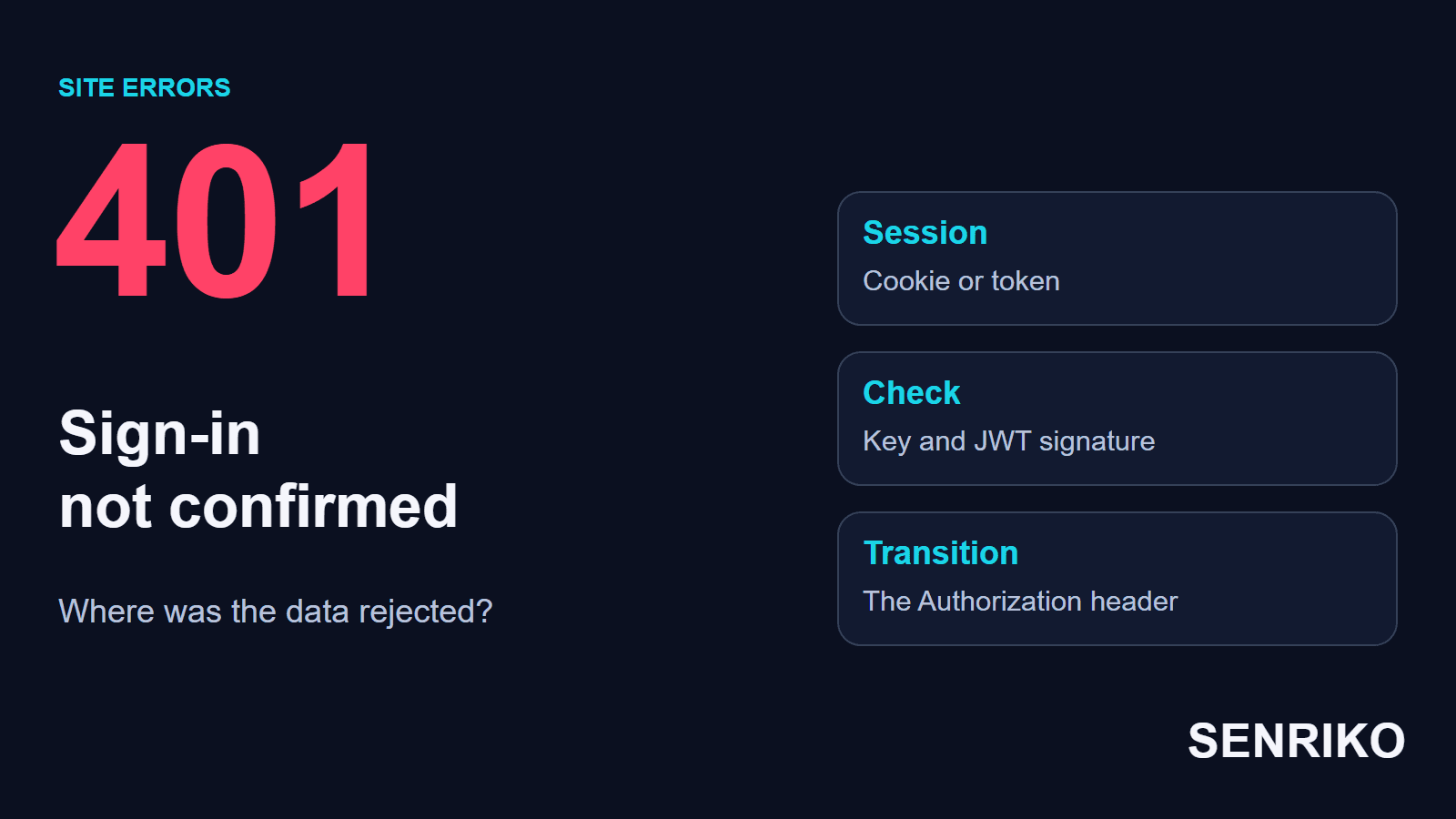
HTTP 401 means that the requested resource needs valid authentication credentials, and the request did not provide them. That can be missing data, or a password, a token or a session that was rejected. RFC 9110 says a server that generates a 401 must send a WWW-Authenticate header with at least one challenge, and that the client may repeat the request with a new or replaced Authorization header. MDN adds that a 403 is returned instead when the credentials are valid but the client lacks the permission.
Authentication answers the question of whom the request represents. Access to a specific action is checked separately. For example, a user can sign in successfully and still have no right to open the report of another department. So a 401 and a 403 need different checks.
A 401 for a closed address before the sign-in can be normal. You look for a problem if it gets in the way of the scenario you expect: a signed-in user cannot see their own order, or a public page unexpectedly asks for a password. The code belongs to a request; it does not mean the whole site is unavailable.
A successful sign-in screen also has to be judged by what follows. The site may have accepted the password and issued a token, while the next service did not accept that token. That is how the first case of our team showed itself. For a Bearer token, RFC 6750 gives that answer a name: a 401 with the error invalid_token, for a token that is “expired, revoked, malformed, or invalid for other reasons”.
What should a user check if the site asks to sign in again?
Start from the site’s address and a new sign-in through its usual authorisation page. If the same loop comes back, save the sequence of actions for support. Write down at which action the sign-in breaks off: that detail narrows the search at once.
- Make sure you opened the right domain and a secure HTTPS page. An old bookmark or a link from the app can lead to a different address.
- Sign in again. Check whether the 401 comes at once or only when you open a certain section, submit a form or download a file.
- Compare another browser or a separate window. You will have to sign in there again. The difference helps to localise the state of the browser; on its own it does not prove the server is in order.
- If the cause looks like an old session, clear the data of this site only and sign in again. That ends the saved sign-in. You do not need to delete the history and the cookies of all sites for this check.
- If the loop stays, tell support the time, the address of the section and the action. Say whether the same account works in the web version and in the app. You do not need to give a password, sign-in codes or the content of a token.
The owner of the site will be able to match such a report with changes of configuration and with the logs. If similar reports have come from several users, it makes sense to check the service they share at once.

Case: services checked the JWT with different keys
CaseAnonymous caseMicroservices with a shared JWT key
Services checked the JWT with different keys
- What we saw
- In one of our projects, after a rotation of the secret key, users effectively lost access to the system. The username and password passed the check, but the internal pages returned a 401 and sent the user back to the sign-in. The system was unavailable to users for about 25 minutes.
- What we found
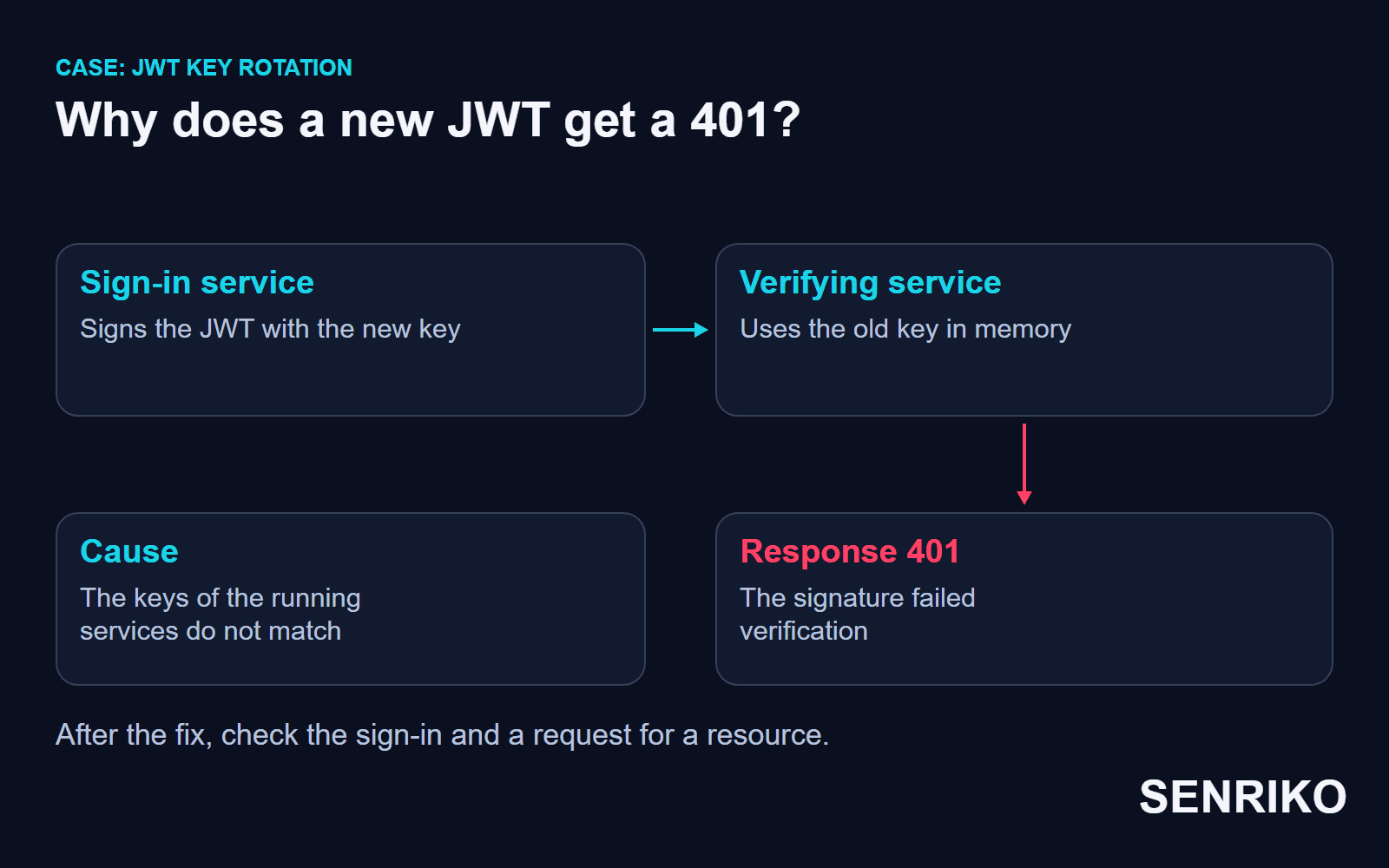
- The microservices used a shared secret to sign and to verify the JWT. The authorisation service already used the new key from Vault. The other services went on checking the new tokens with the old key, which stayed in their memory.
Invalid JWT Signatureentries in the logs showed where the refusal happened. We matched them with the key update and with the configuration of the running instances. The user entered correct data, but the services disagreed on which key should check the token that was issued. - What we did
- To recover, the team restarted the verifying microservices one stage at a time, so that they read the current configuration.
- about 25 minutesthe system was unavailable to users
That fix belonged to the way the particular application worked: the key stayed in the memory of the running services. In a system with dynamic key updates, you check whether the update itself took effect. The same thing happens in managed setups: an AWS Application Load Balancer that validates a JWT answers 401 when the signature does not match, or when the key id in the token is not present at the JWKS endpoint.
Validating a JWT includes checking the signature and the applicable conditions for accepting the token, and the RFC says that if any of the steps fails, the JWT must be rejected. The content of a token that has been read becomes a ground for access only after the necessary checks. When keys disagree, you fix the configuration of the issuer and the recipients, and keep the check of authenticity.
In a similar failure we recommend first looking at the version of the configuration on the instances that are really running. Changing the secret in the store does not yet mean that every process has begun to use it. After the fix, it is useful to go the whole path, from a new sign-in to a request for a protected resource, through different serving instances.
The earlier key had been compromised, so going back to it to restore access was not proposed: that would bring the problem back with it. The check of the signature is also kept during diagnosis: what has to be fixed is the configuration of the trusted keys.
Case: a redirect left the request without Authorization
CaseAnonymous caseA mobile app and an API
A PDF download ended in a 401 after a redirect
- What we saw
- In another project the mobile app could not download PDF documents: the request ended with a 401. In the web version the problem did not reproduce.
- What we found
- The team traced the chain of moves of that request. The API returned a link to the file with the HTTP protocol. The server answered with a 301 and sent the request on to HTTPS, but the final request arrived without the Authorization header. At the final address the server received a request without the token and returned a 401. Finding the cause took several days.
- What we did
- We fixed the generation of the links in the API: the download address began to use HTTPS at once. The fix and the deploy took about 15 minutes. HSTS was also turned on at the load balancer.
- several daysto find the cause
- about 15 minutesfor the fix and the deploy
This case shows why you compare a request before and after a move. The Authorization header carries authentication data, and the rules for passing it depend on the client and on the destination address; in particular, MDN says it is stripped from cross-origin redirects. A mobile library’s behaviour is checked on its particular version and on the same sequence of moves.
A direct HTTPS address removes the extra move on such a route. HSTS tells a browser that the host should only be accessed over HTTPS, but, MDN adds, it does not take effect until the browser has made at least one secure connection to the host, and browsers ignore the header when it comes over plain HTTP. The policy does not replace correct links for an arbitrary app and gives no grounds for sending the token to any address from Location.
When you design such a scenario, start from the final secure URL. Then check that the request to it carries the data it needs and that the server really accepts it. That lets you solve the cause of the lost header without weakening authentication.
How can a developer trace a sign-in to the protected request?
Compare two linked requests: the one that creates the session or issues the token, and the next one to a closed resource. Check each move between them separately. That shows where the data was not created, was not passed on or was rejected.
In a browser, use Network with the log of moves kept. For an app, reproduce the same route and the same version of the client. Then match the request with the log of the service that returned the 401: an interface message “session expired” can hide several different causes of a refusal.
| Observation | What to check | Where to find the confirmation |
|---|---|---|
| The sign-in finished, the next request has no cookie | The scope and the conditions for sending the cookie | Set-Cookie in the response, Cookie in the final request |
| The token is sent, the service rejects it | The signature, the key, the expiry and the applicable conditions of acceptance | The log of the verifying service and its configuration |
| A direct request works, a move ends in a 401 | The addresses and the headers passed at each step | The sequence of the client’s requests |
| The error depends on the instance of the application | Differences in the configuration of the running processes | The versions of the deployment and of the loaded settings |
For cookies, look at what was actually sent. Domain, Path, Secure and SameSite decide under what conditions a browser sends the value: without Domain a cookie goes only to the host that set it, Path must match the requested URL, and Secure sends it only over HTTPS. A cookie can be in the store and still not suit the address of the next request. When moving between subdomains it is especially useful to compare the host, the scope of the cookie and the way the request is made.
For a JWT, tell the absence of a token apart from the failure of its check. Those situations have different causes and different fixes. To match events in a log, use the type of error, technical identifiers and the version of the configuration. Do not put the full values of secrets and of users’ tokens into such records.
It is worth comparing requests with the same rights and the same state of sign-in. An engineer’s request as an administrator and an ordinary user’s request test different conditions. To reproduce, choose a suitable test account and repeat the original action with it.
If you hand a network log to another team, use the sanitised HAR export and check the content of the file. Chrome’s default export leaves out the Cookie, Set-Cookie and Authorization headers, but URL parameters and request bodies can also carry user data. Keep only what the diagnosis needs.
When is a 401 expected, and what do you control after a fix?
A protected resource must keep its access check. After the fix, go through it before the sign-in, after a correct sign-in and after the sign-out. A successful request of the right user and the expected refusal of a visitor without a session are checked separately.
The cases described also need extra checks. After a rotation of keys, make sure that the instances involved use a consistent configuration. For downloading a document, repeat the working link in the mobile client where the refusal happened. A similar test in a browser does not replace the original conditions.
If a 401 unexpectedly appeared on a public page, check whether protection was extended to a route that did not need it. A public catalogue and an internal account area have different expected answers. First decide who should have access to the resource, then judge the HTTP status.
Add the site to SENRIKO monitoring to watch the availability of the public pages you choose and repeated incidents. A page that answers with a 4xx code other than 404 is reported with its status, worded as “This page is refusing visitors with an error (HTTP 401)”, so it is easier to notice an unexpected refusal on an address that should open for visitors. The scope and the frequency of the checks available are given in the plan. A sign-in to a particular account area is tested separately, with its own scheme of authentication.
In the record of the fix, keep the user’s path, the cause of the rejection of the data and the results of the repeat pass. What has to be checked is the whole chain: the sign-in, the request for a closed resource and the expected refusal after the session ends.
Frequently asked questions about 401 Unauthorized
What does a 401 Unauthorized error mean?
What is the difference between 401 and 403?
Why do I get a 401 after a successful sign-in?
What does “Invalid JWT Signature” mean?
Should the old key be restored if a rotation breaks sign-in?
Does HSTS fix an Authorization header lost in a redirect?
Why can a download fail in the app but work on the web?
Sources
- RFC 9110: HTTP Semantics (401 Unauthorized)IETF
- 401 UnauthorizedMDN Web Docs
- RFC 6750: The OAuth 2.0 Authorization Framework, Bearer Token UsageIETF
- RFC 7519: JSON Web Token (JWT), validating a JWTIETF
- Troubleshoot your Application Load Balancers: HTTP 401Elastic Load Balancing, AWS
- AuthorizationMDN Web Docs
- Set-CookieMDN Web Docs
- Strict-Transport-SecurityMDN Web Docs
- Network features referenceChrome DevTools
- Pricing and levels of checksSENRIKO