Contents
Why do UTM parameters disappear after a redirect?
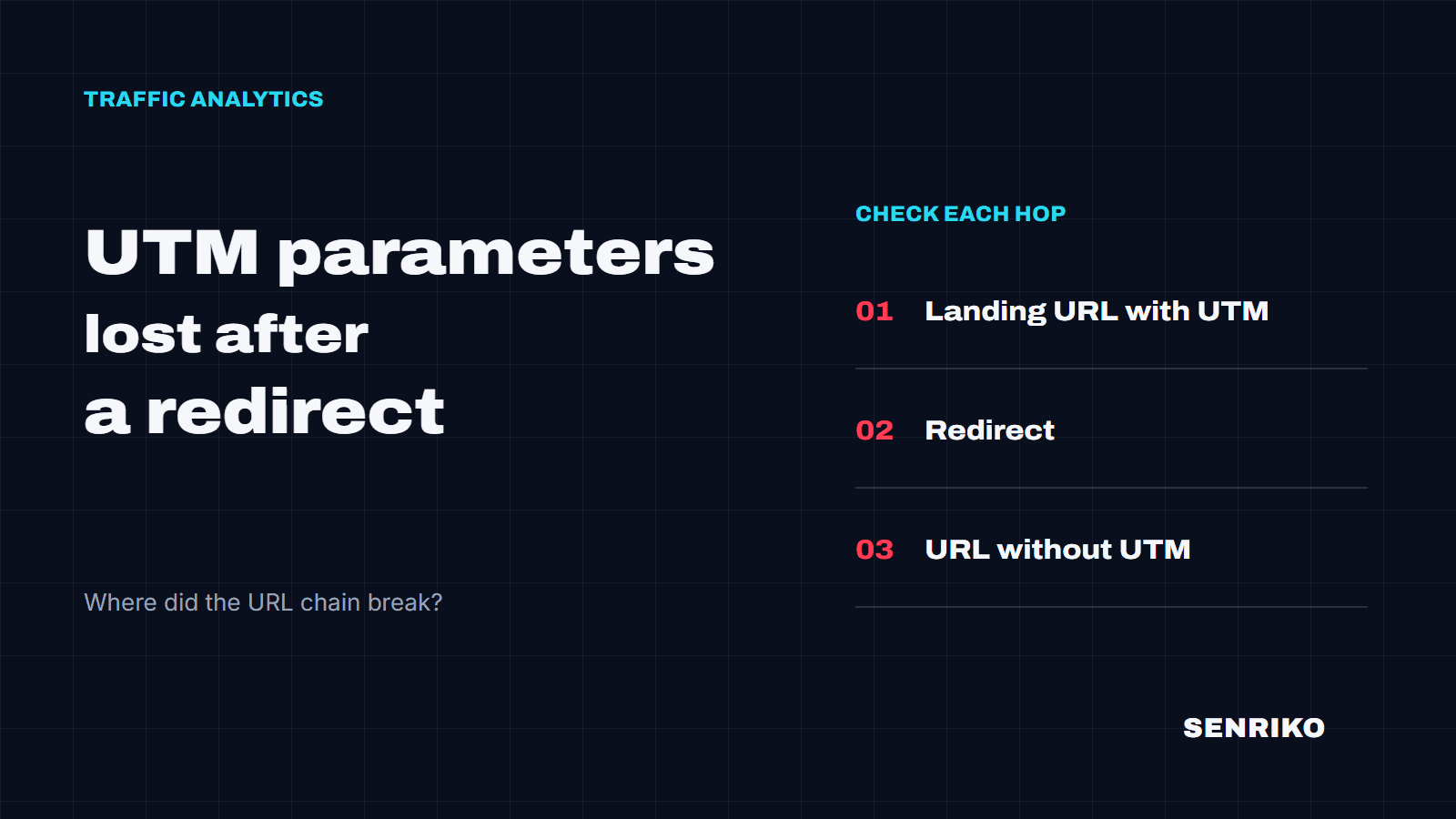
The status code is not the problem. UTM parameters are lost when the redirect rule builds the new address without the original query string. Say a visitor opens http://example.com/promo?utm_source=senriko-scan and the server answers Location: https://example.com/promo/. The next request goes out without utm_source, and nothing later in the chain can bring it back.
- Landing URLwith utm_source
- Redirect301 or 302query string not passed on
- Final URLno UTM
The usual places to look: HTTP to HTTPS, www to the bare domain or back, an added trailing slash, a country or language redirect, and redirect rules set up in a CDN or hosting dashboard rather than in your code. A server can keep the UTM parameters and a script or meta refresh can then send the browser to an address without them. That is why one look at the last server response is not enough.
In GA4, visits that arrive without their campaign often land in (direct) / (none), and Google’s own help names redirects among the things that strip UTM parameters. The same rule drops Google Ads’ gclid, which travels in the same query string: Google Ads flags it as website redirects losing click data.
An address can also come out clean after an ordinary click through the site’s menu. To test the redirect itself, start from the link in the ad and follow it to the first landing page.
How do you check UTM parameters through a redirect chain?
Checking UTM parameters starts with the starting link. From there, you are looking for the first address where even one parameter went missing.
Start from the link in the ad
Take the landing page URL exactly as the campaign uses it. For a controlled run,
utm_source=senriko-scan,utm_medium=senriko-checkandutm_campaign=senriko-attributionwill do. If the link already has a?, add the next parameters with&.Record every hop
Open DevTools, go to the Network panel and tick Preserve log before you load the link. Compare the request with the
Locationheader of every 301, 302, 307 or 308 response. Keep watching after the last 3xx: a script or a meta refresh moves the browser without one.Find the first address that lost something
Look for the first URL where a parameter is missing or its value changed. Save the two neighbouring URLs, the last good one and the first bad one, for your developer. After the fix, run the same starting link again.
For the server side of the chain, curl is quicker:
curl -sIL "https://example.com/promo?utm_source=senriko-scan"It prints the status and Location of every response. curl does not run scripts or meta refreshes; only a browser does, so use the Network panel or the UTM Survival Test for those. -I sends HEAD requests, and a few servers answer HEAD differently from GET. If the chain looks odd, follow it with GET instead:
curl -sL -o /dev/null -D - "https://example.com/promo?utm_source=senriko-scan"If every parameter reaches the landing page and the report is still empty, check the tag and the analytics setup next. The address chain has still answered something useful: the cause is further along the data’s path. Our free GA4 checker shows which GA4 streams a page sends to.
Two cases from our team’s work
CaseAnonymised caseOnline store · paid search campaign
An HTTPS redirect with a trailing slash dropped the query string
- What the reports showed
- The ads pointed to an HTTP address for a promotion, without the trailing slash. On day two the ad platform counted about 5,000 clicks, while the analytics report by UTM showed about 50 visits. Clicks and visits are different counts and never match one to one, but a gap that wide was reason enough to check the link.
- What we found
- The server sent visitors to HTTPS and added the slash. With Preserve log on, the Network panel showed a 301 whose
Locationheld the new promotion address and no query string. - What was done
- The administrator changed the Nginx rule to pass the parameters on to the destination.
- ≈ 5,000ad clicks on day two
- ≈ 50visits by UTM in analytics
- 301Location without the query string
CaseAnonymised caseInternational SaaS website
UTM parameters vanished at the language redirect
- What we found
- The app detected the visitor’s country and answered with a 302 to
/ru/, leaving the original parameters out of the new URL. - How we reproduced it
- A test from a Kazakhstan IP address triggered the same redirect.
- What was done
- The developers appended the query string to the language page’s address and ran the check again for that locale.
- 302to /ru/ without the original parameters
- Kazakhstan IPreproduced the redirect
Test geo redirects from the countries you target
A country or language redirect only fires for some visitors, so a check from your own office can pass while campaign traffic from abroad loses its parameters. Run the starting link through a VPN or a proxy in each country your campaigns target.
What does the UTM Survival Test show?
SENRIKO’s free UTM Survival Test opens your page in a real browser, follows server, script and meta redirects, and reads the form fields and the browser’s storage. It tests with utm_source=senriko-scan, utm_medium=senriko-check and utm_campaign=senriko-attribution. A form page at a different address on the same site is opened directly.
The result tells you whether the UTM parameters survived the trip to the page you tested. The test does not fill in or send a form, accept a cookie banner, check gclid, fbclid or msclkid, or see your CRM.
An empty hidden field is not a verdict yet
Some form plugins write the value at submission or on the server. Following the rest of the form’s path takes monitoring, after you verify that you own the site.
How do you keep UTM parameters through a redirect?
If a parameter disappeared on a particular hop, give your developer the starting link and the two neighbouring addresses from the chain. The rule has to keep the query string whenever it changes the protocol, domain, path or language.
Nginx
Look at the variable in the destination. $uri holds the path only, without the query string, while $request_uri carries the original path with its parameters:
# UTM parameters are lost
return 301 https://example.com$uri/;

# UTM parameters are kept
return 301 https://example.com$request_uri;
If the path has to change, for example to add a slash, write the parameters in yourself: return 301 https://example.com$uri/$is_args$args;.
Apache and .htaccess
mod_rewrite copies the original query string when the target has none, and discards it as soon as the target carries a query string of its own. The [QSA] flag combines the two; [QSD] drops the original on purpose, so look for it too. A plain Redirect from mod_alias keeps the query string.
# UTM parameters are discarded: the target has its own query string
RewriteRule ^promo$ https://example.com/promo/?ref=ads [R=301,L]

# UTM parameters are kept alongside ref=ads
RewriteRule ^promo$ https://example.com/promo/?ref=ads [R=301,L,QSA]
Cloudflare
A Single Redirect rule keeps the query string only when Preserve query string is switched on, and it is off by default. Check every rule your campaign traffic passes through, the HTTP to HTTPS and www rules included.
Then run the same URL again. Pay particular attention to the variants your ads actually use: with and without www, HTTP, the trailing slash and the locale.
Updating the ads to the final address helps too, but old links saved elsewhere will keep going through the redirect, so test the fixed rule on its own. Before a campaign goes live, run its starting link through the UTM Survival Test. If the UTM parameters reach the page and the source still does not appear in a report or a lead, the next step is the analytics and the form’s data hand-off.
Frequently asked questions
Do 301 redirects remove UTM parameters?
Why do my campaign visits show up as (direct) / (none) in GA4?
Does a redirect that drops UTM parameters affect Google Ads too?
Is curl enough to check a redirect chain?
Does the UTM Survival Test check gclid or fbclid?
Sources
- URL builders: Collect campaign data with custom URLsGoogle Analytics Help
- [GA4] Understand (direct) / (none) trafficGoogle Analytics Help
- Troubleshoot: Website redirects are losing click dataGoogle Ads Help
- Redirections in HTTPMDN Web Docs
- Module ngx_http_core_module: embedded variablesnginx documentation
- RewriteRule flags: QSA and QSDApache HTTP Server documentation
- mod_alias: RedirectApache HTTP Server documentation
- Single Redirects settingsCloudflare Docs